Redesigning the NPQ admin console
Context
The NPQ admin console was redesigned to reduce reliance on developers and give internal users more control. It supports teams across the Department for Education (DfE), including digital, policy, assurance, and contract management.
The console helps manage NPQ applications and registrations. Once a user engages with their NPQ course provider or the registration service, eligibility checks and declaration submissions processes are triggered.
Admin users can now:
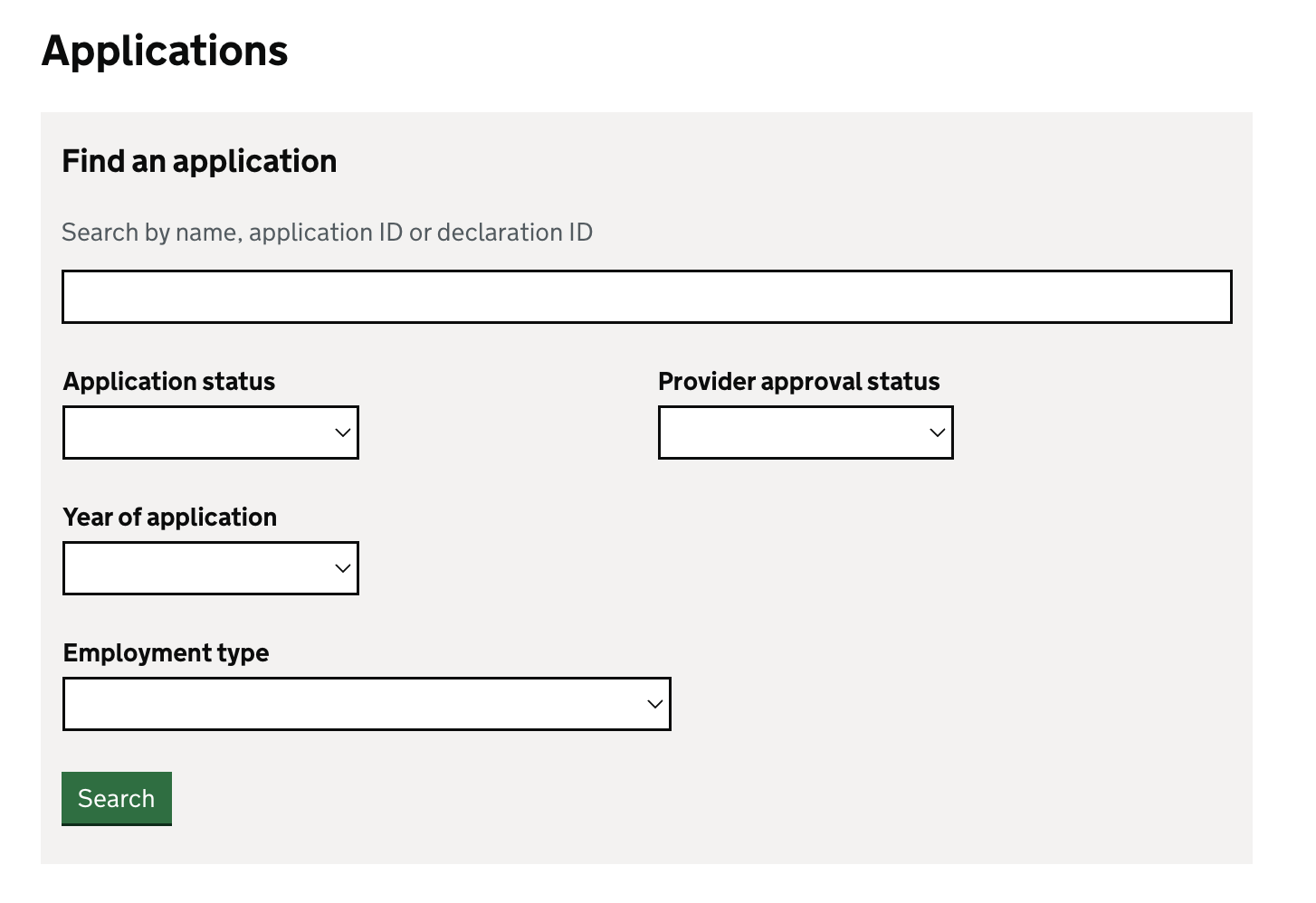
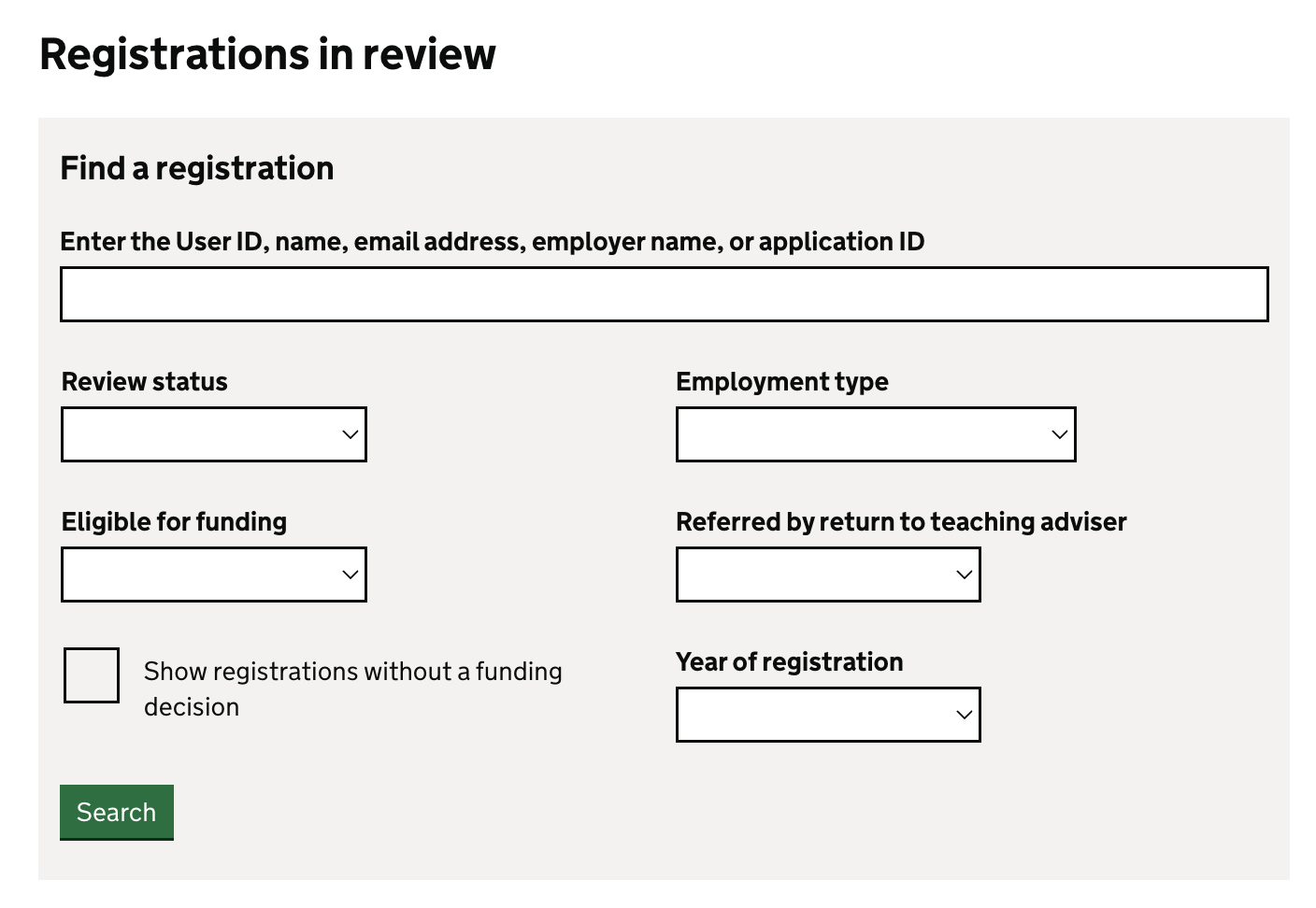
- Search and filter applications and registration
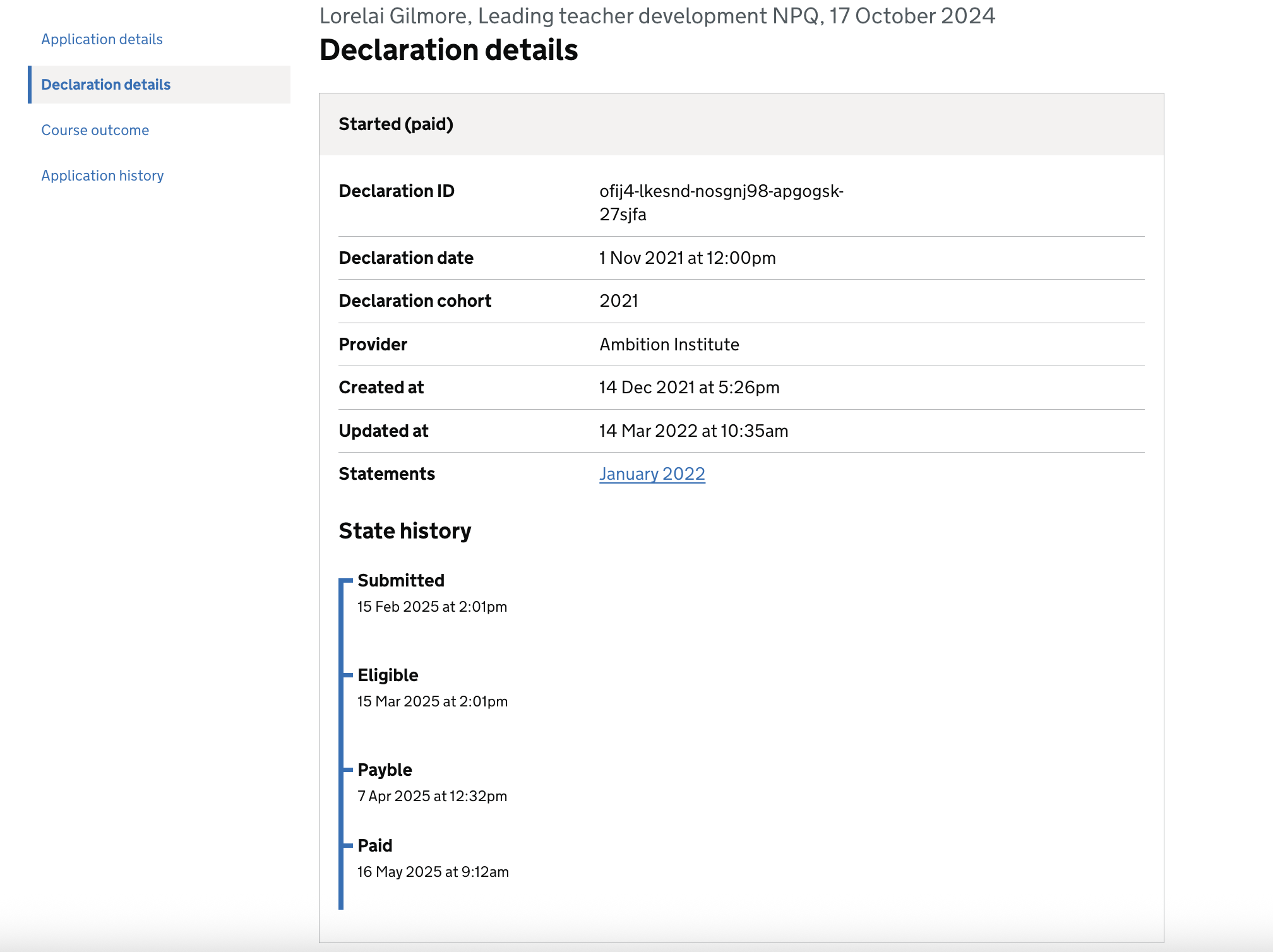
- View declaration details and state history
- View course outcome
- View application history
- View course details
- Download, freeze or save financial statements
- Make adjustments to financial statements
- Change contract information
- Search for workplace details
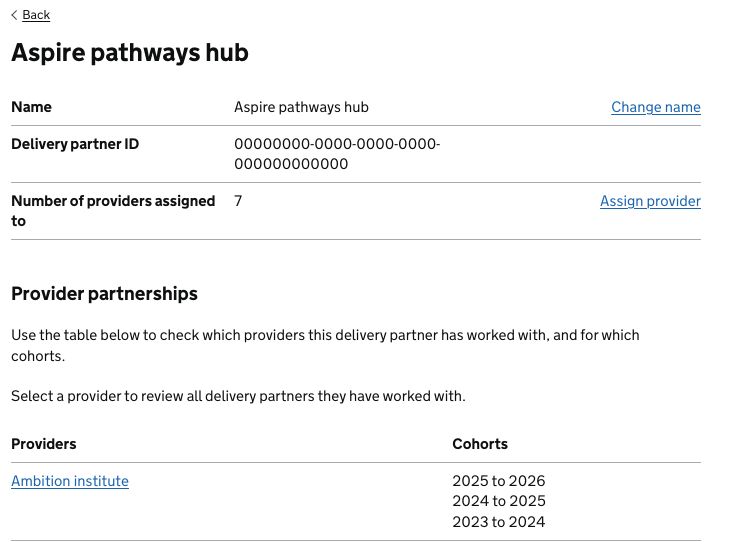
- View provider and delivery partner relationships
- Manage delivery partners
- Make bulk changes
What admins can now do
Search and filter applications and registration
Admins users can now search and filter by:
- user or declaration ID
- application or review status
- year of application
- employment type
- referral to a Return to Teaching adviser
- funding eligibility
- funding decision status
View declaration details and state history
Details of the declaration are recorded alongside its state history, which captures the date and time of each state change.
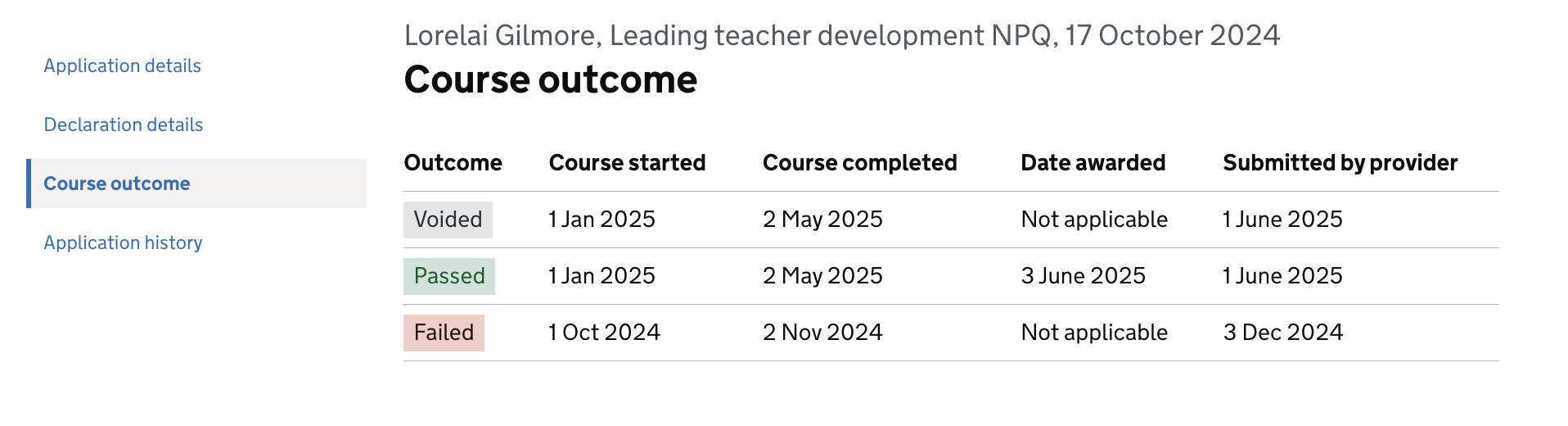
View course outcome
Course outcomes are now on a dedicated page where admin users can see:
- outcome status
- course start and completion dates
- award date
- whether the outcome was submitted by a provider
View application history
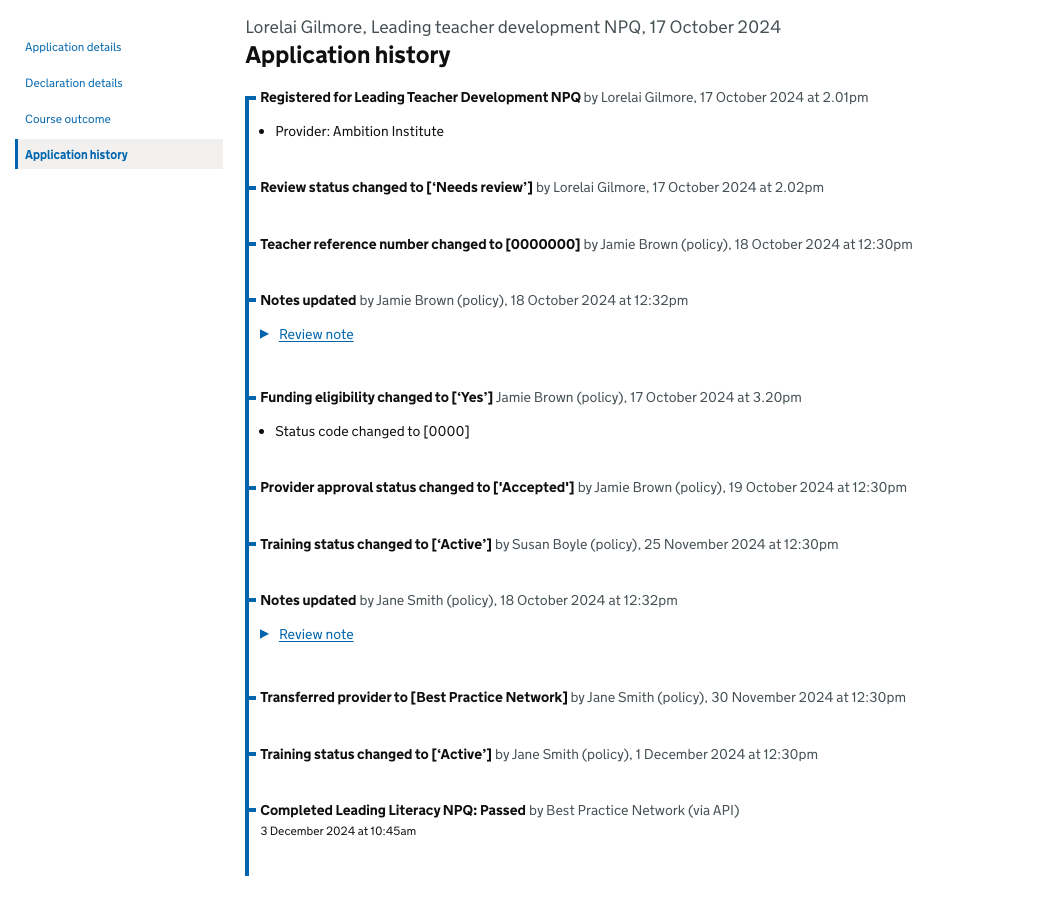
The application history records the name, date, and time of each task, along with any notes made per application. This includes both the applicant’s name and the names of internal DfE users.
View course details
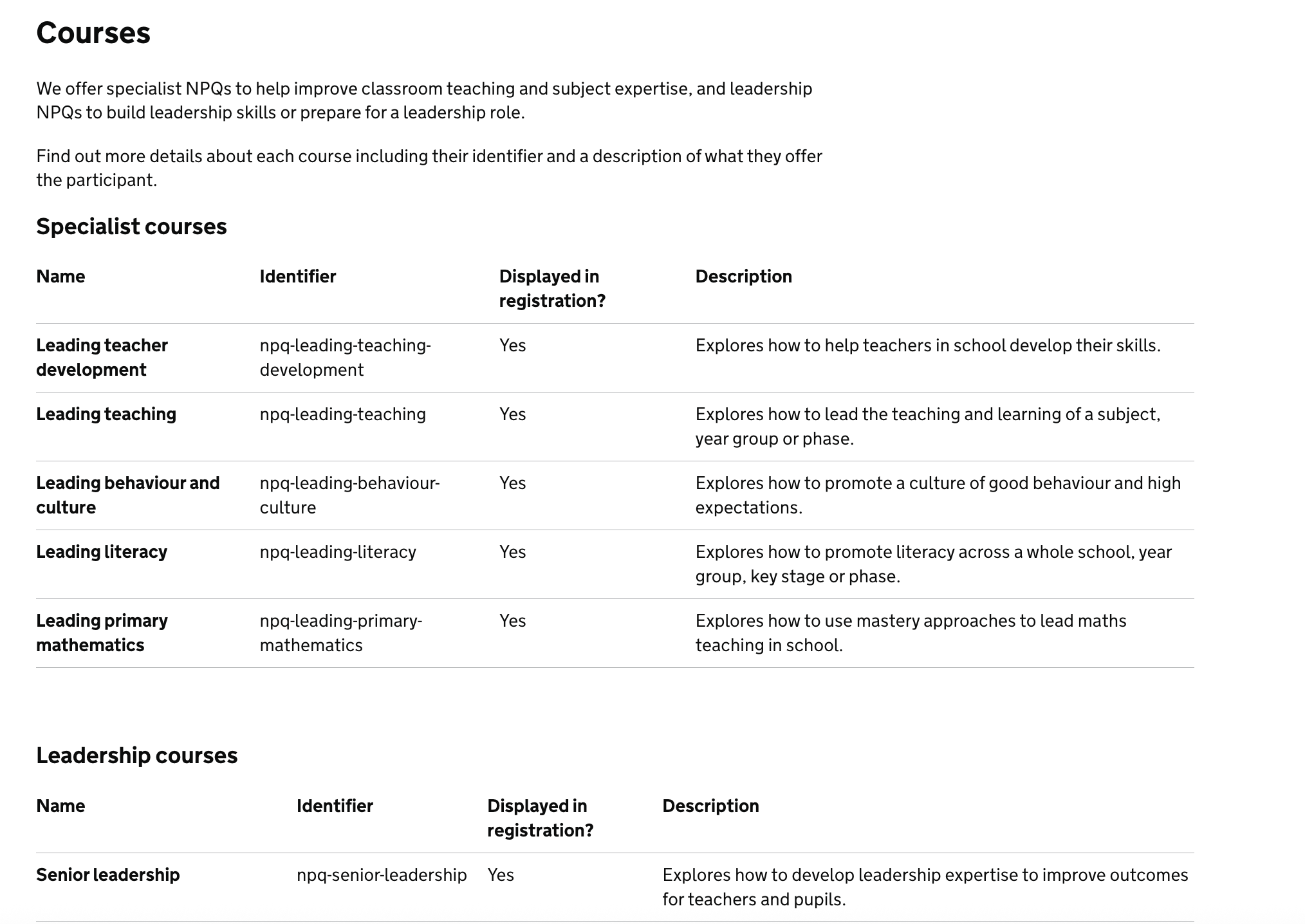
The course details page displays a list of specialist and leadership courses, including their name, identifier, registration visibility, and a brief description.
Download, freeze or save financial statements
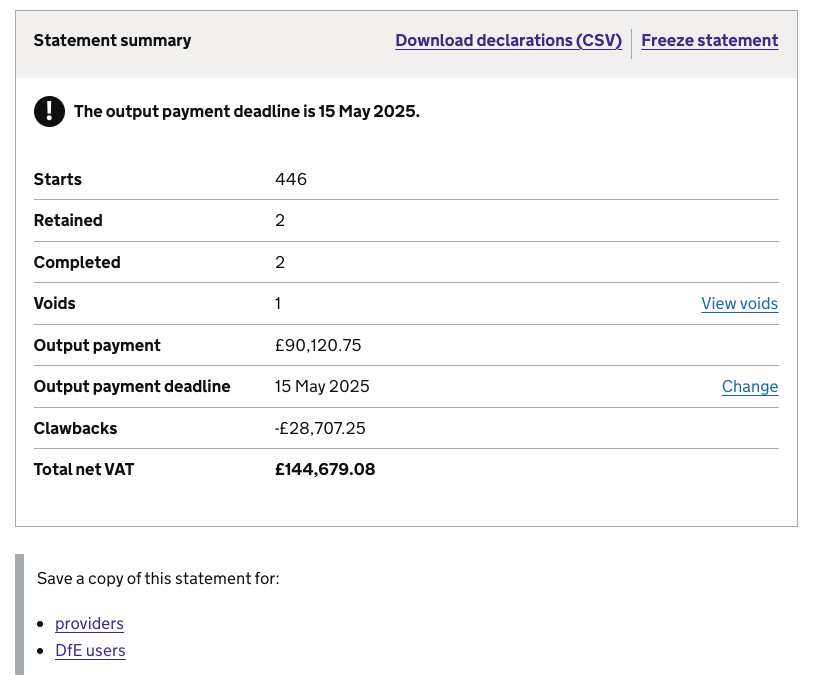
Admin users can download financial statements as CSV files, freeze them, and save them as PDFs to share with providers and internal DfE users.
Make adjustments to financial statements
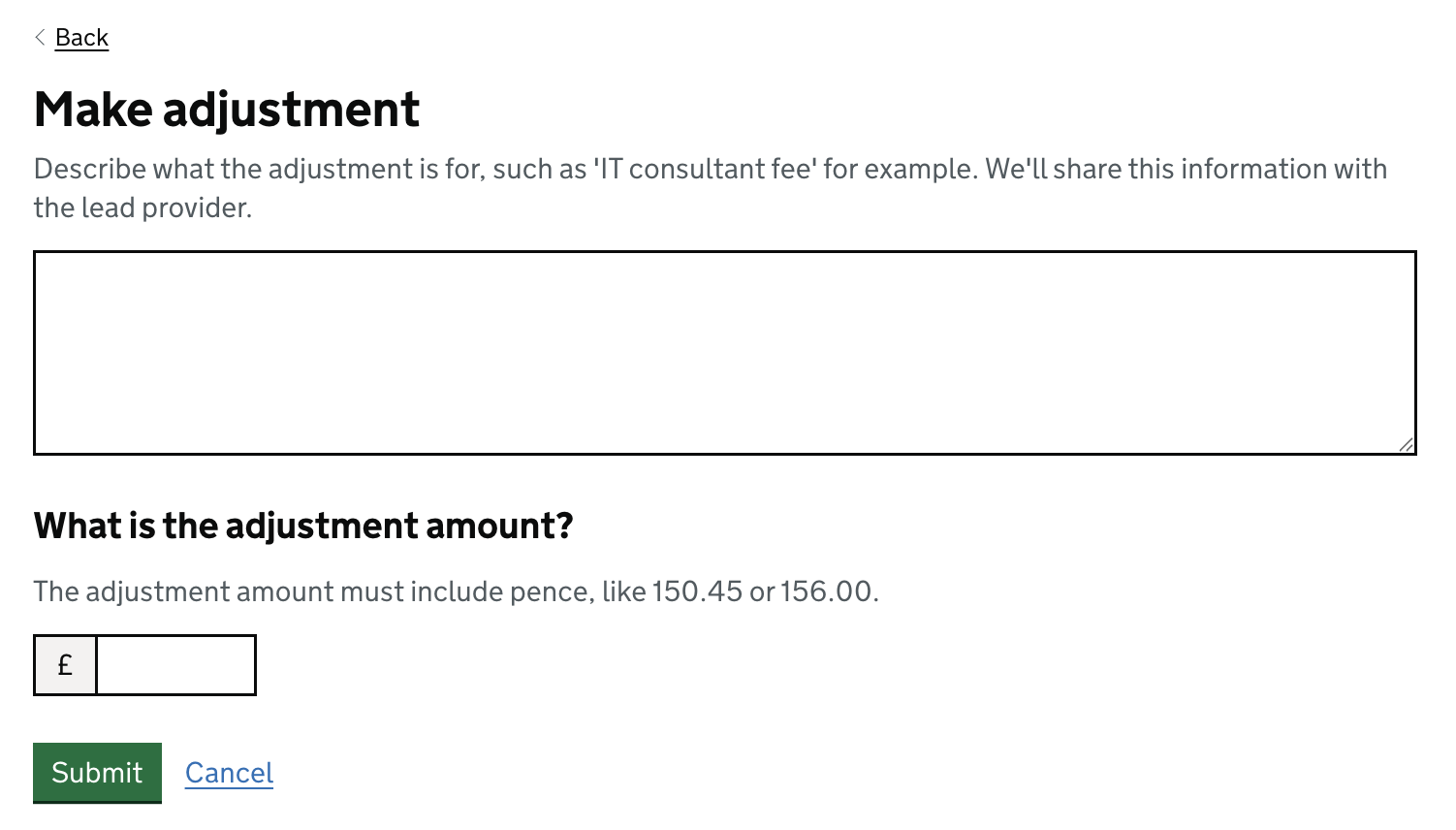
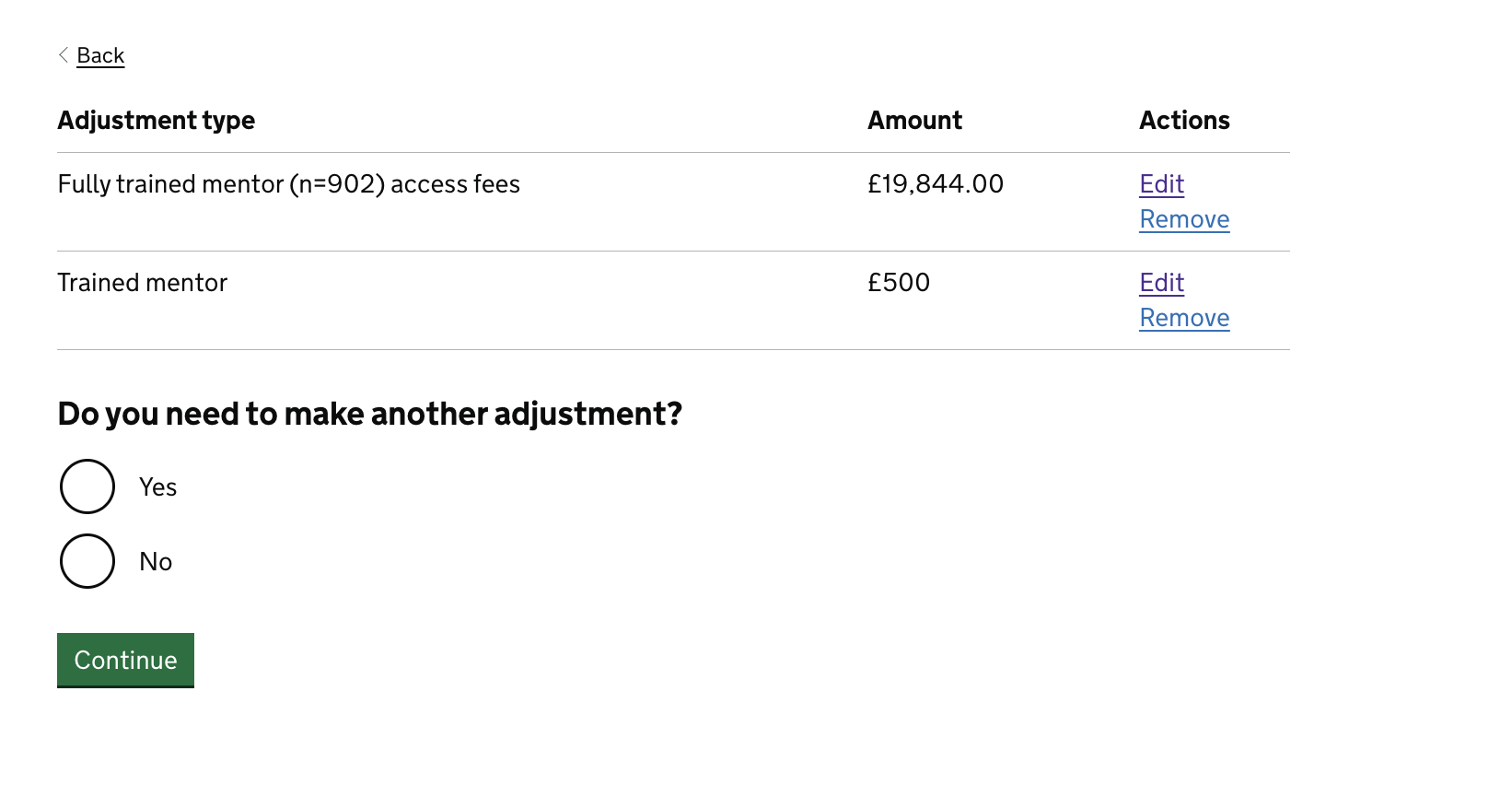
Admin users can now make adjustments to financial statements and apply multiple adjustments at once.
Change contract information
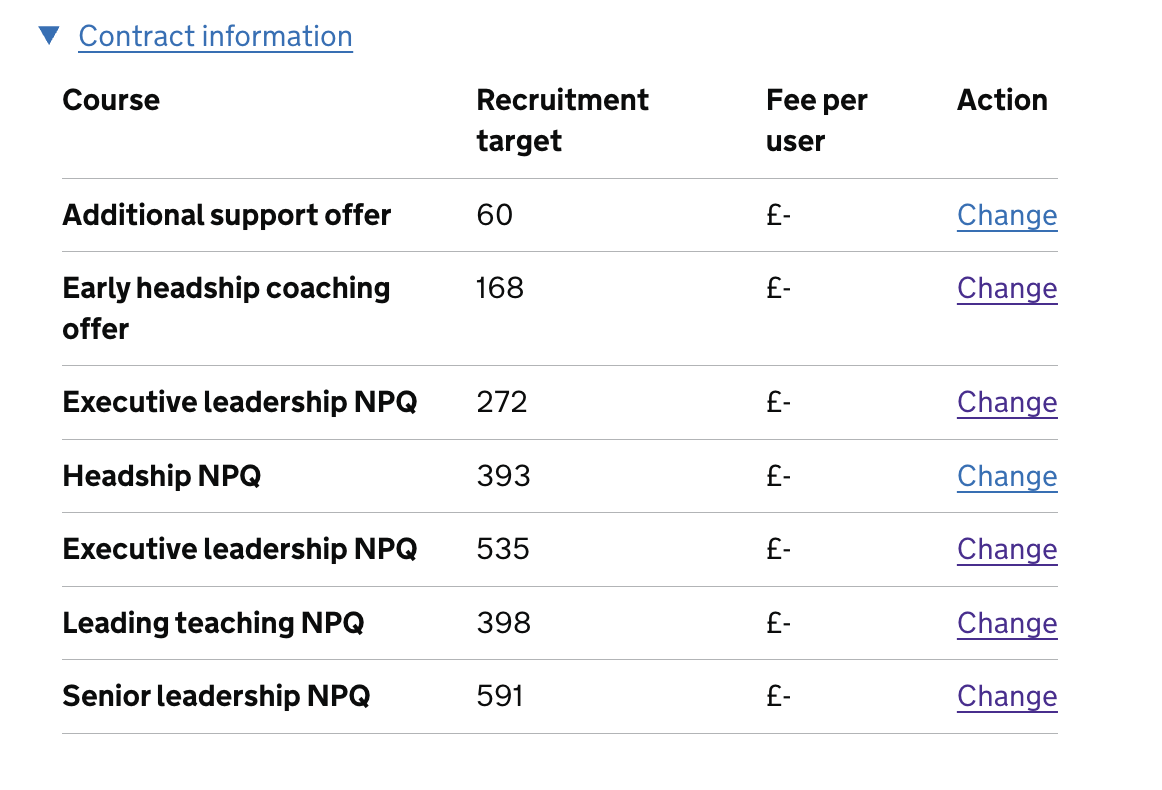
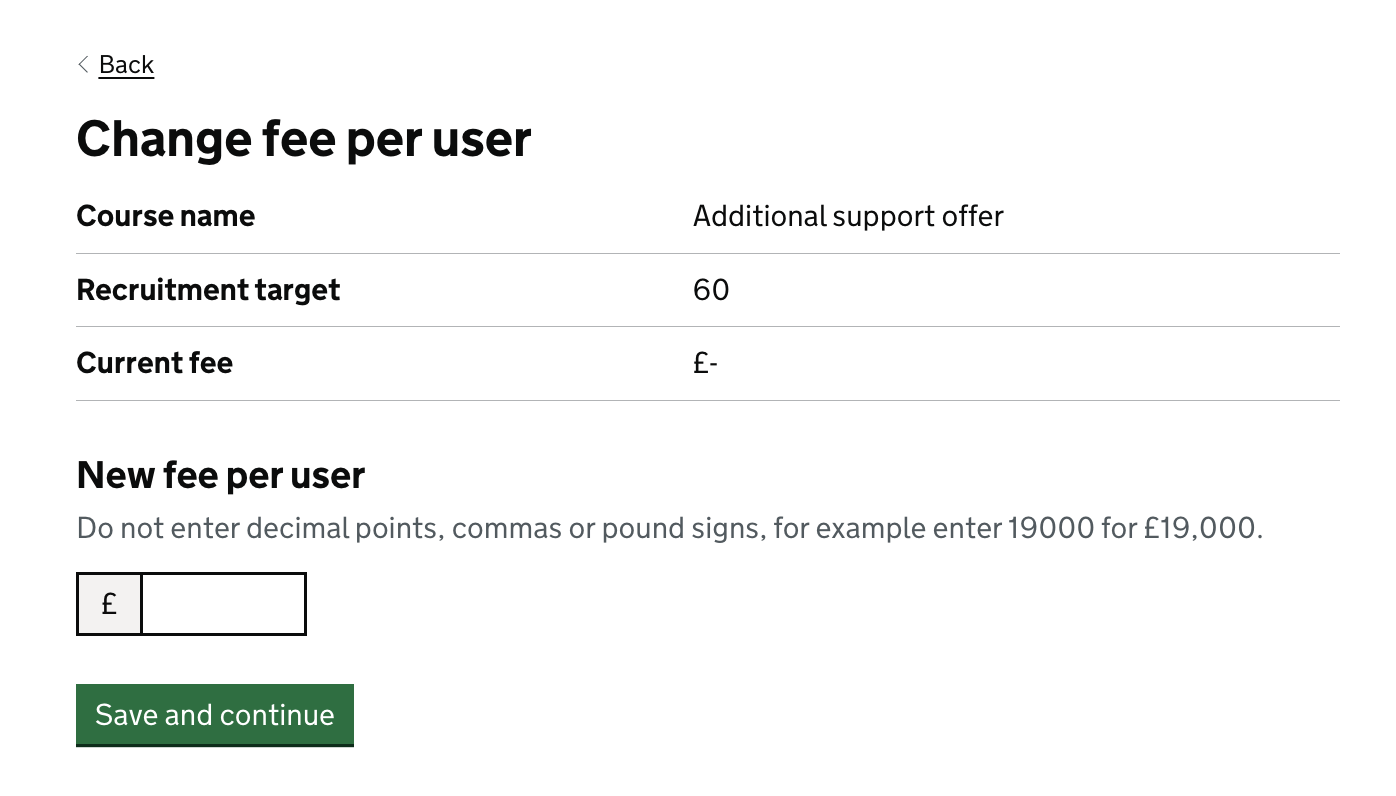
Admin users can now change the fee per user within the contract information section. This change will apply across all contract records unless a financial statement has been frozen.
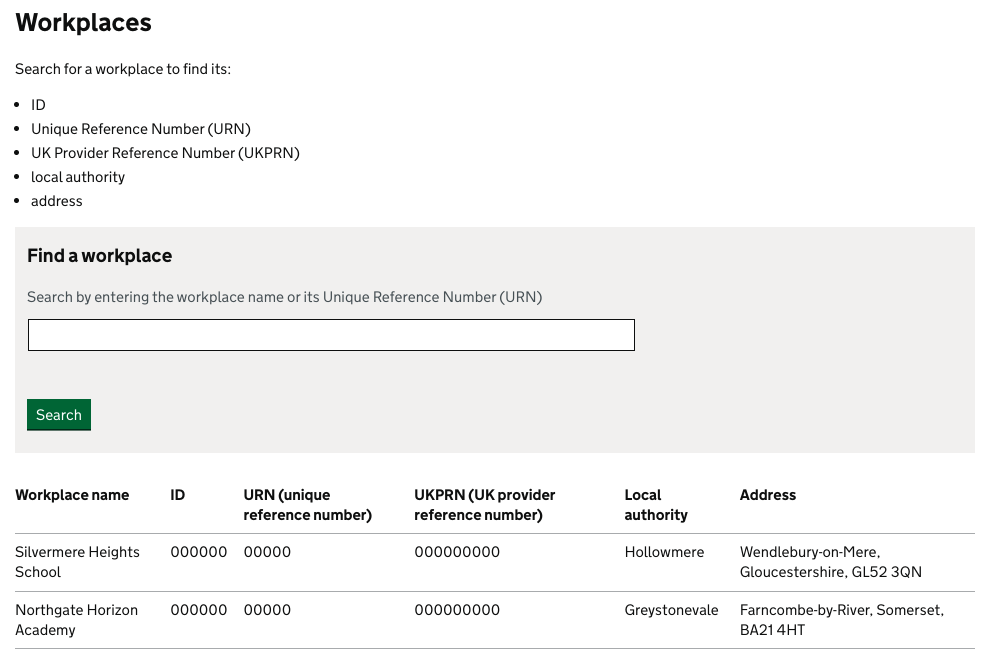
Search for workplace details
Admin users can now search for an applicant’s workplace details such as :
- ID
- unique reference number (URN)
- United Kingdom provider reference number (UKPRN)
- local authority
- address
View provider and delivery partner relationships
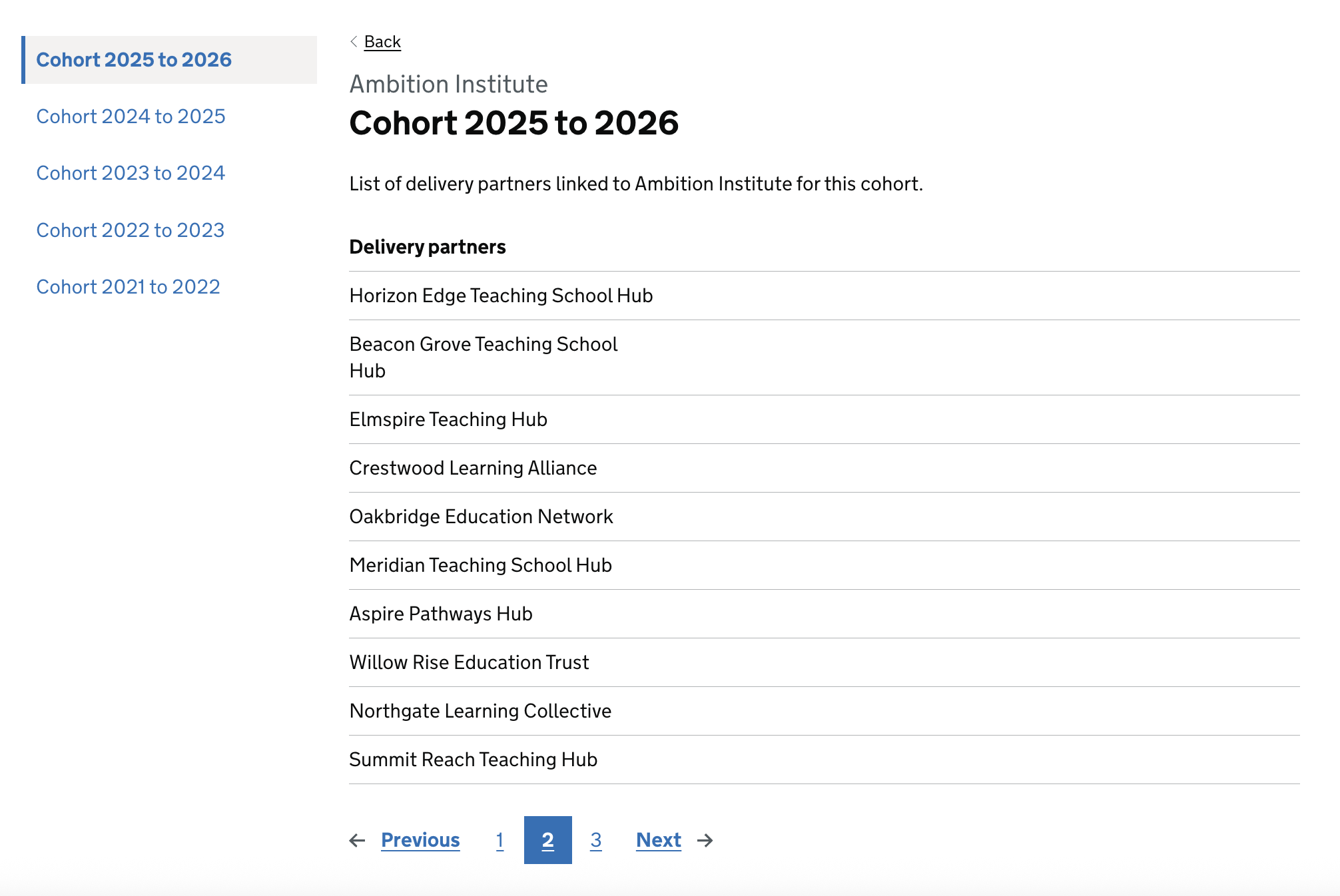
Admin users can now check which providers each delivery partner has worked with, and for which cohorts.
Manage delivery partners
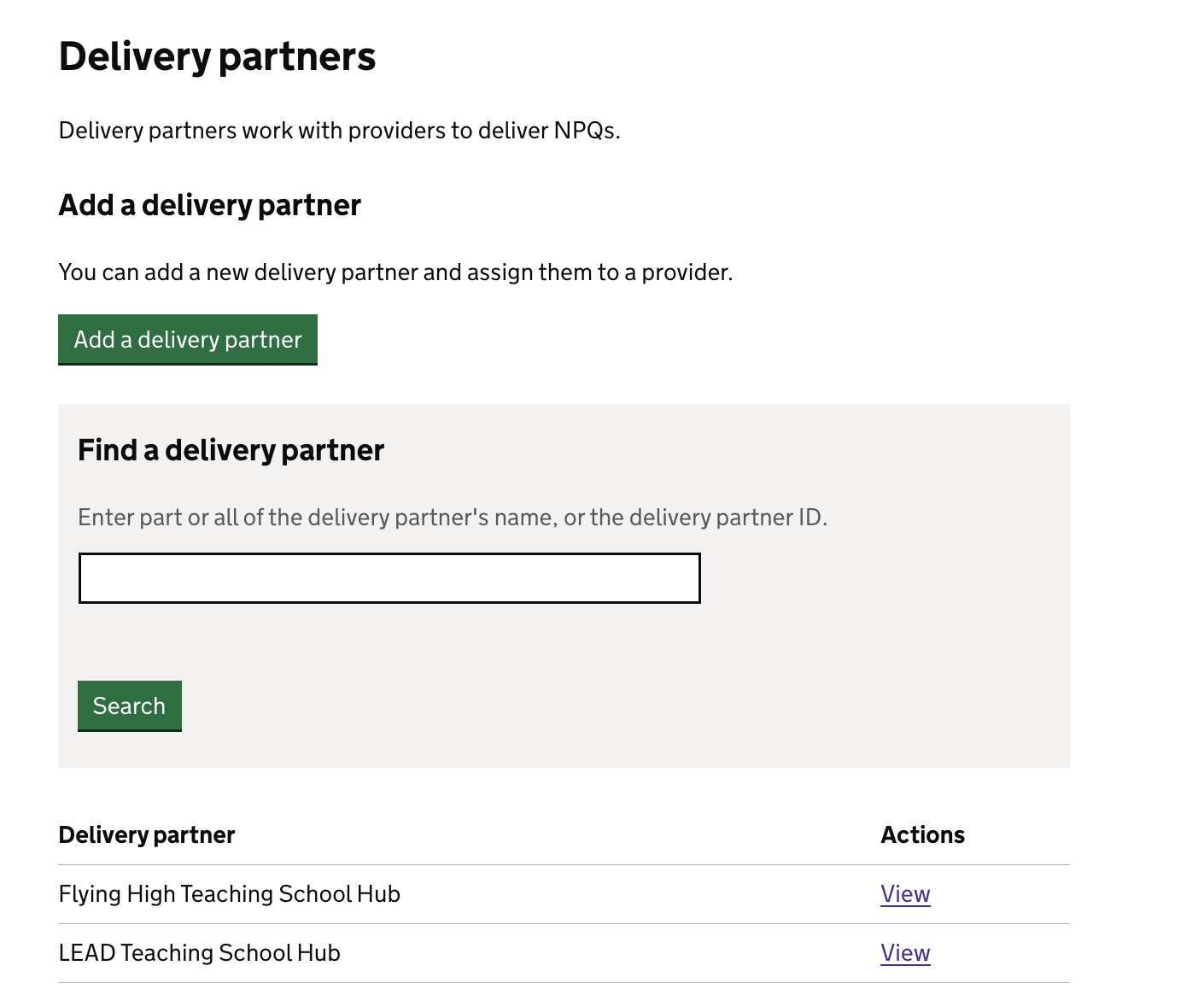
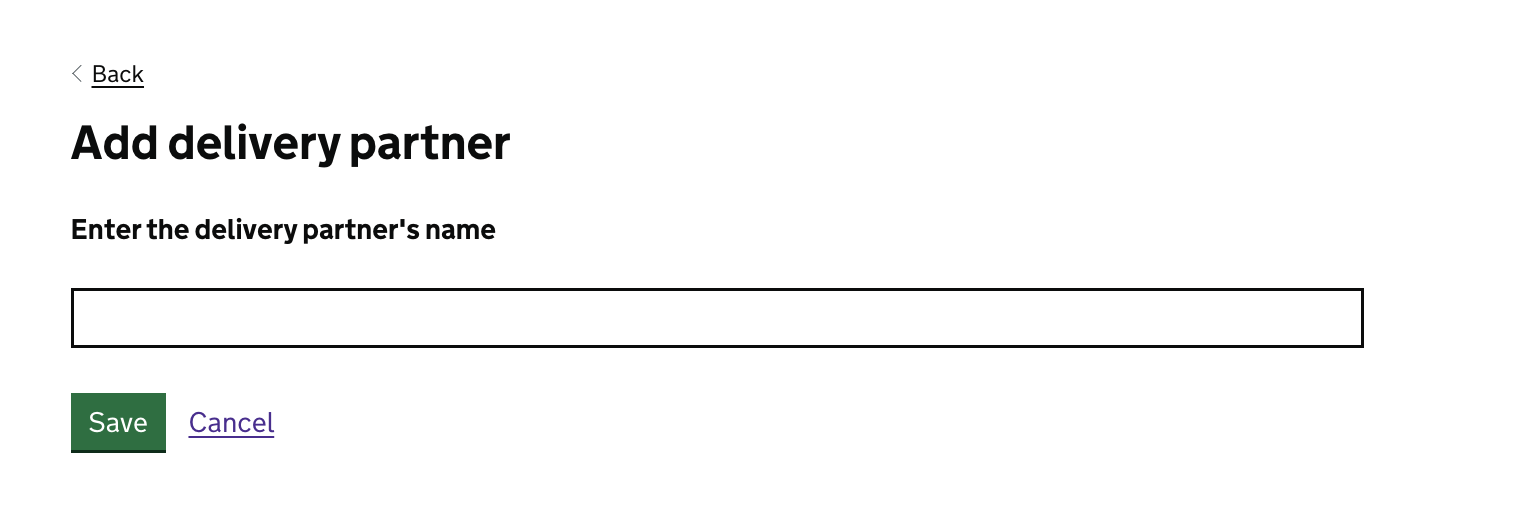
Admin users can now:
- add new delivery partners
- search by name or ID
- edit delivery partner details
- assign providers to delivery partners
- view provider partnerships and associated cohorts
Make bulk changes
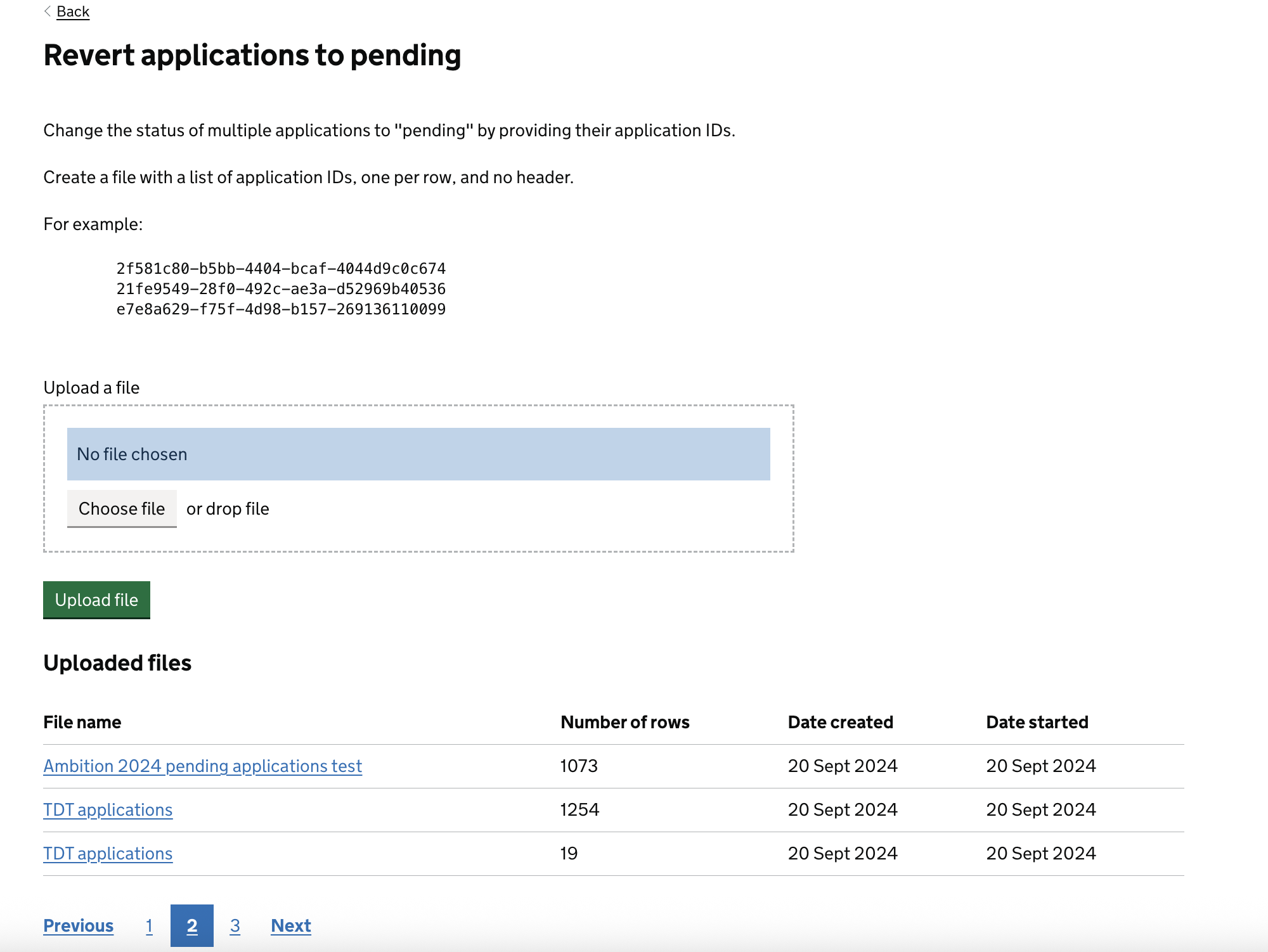
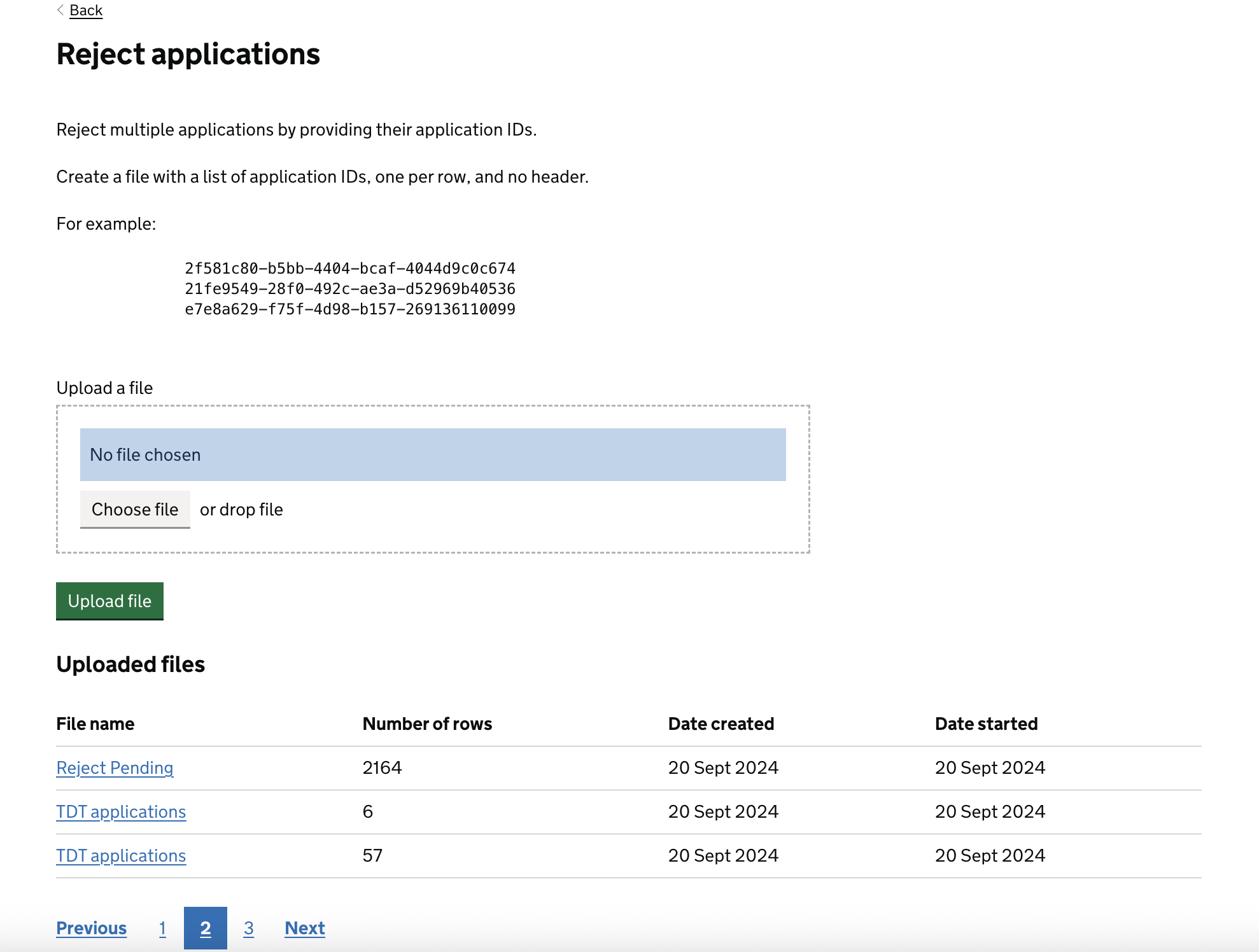
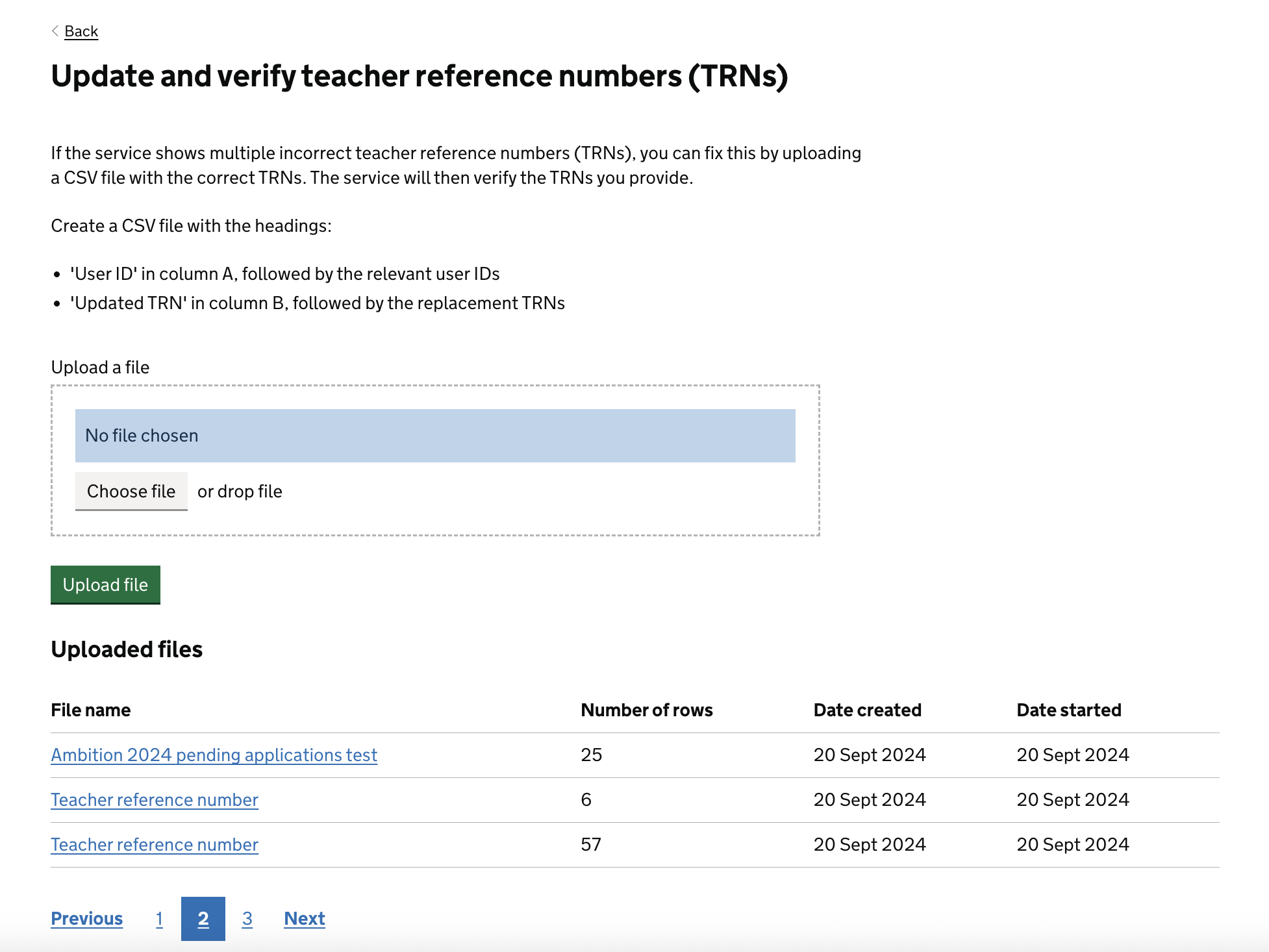
Admin users can now use the ‘Bulk changes’ tab to update multiple applications at once.
They can now:
- revert applications to pending
- reject applications
- update and verify teacher reference numbers (TRNs)
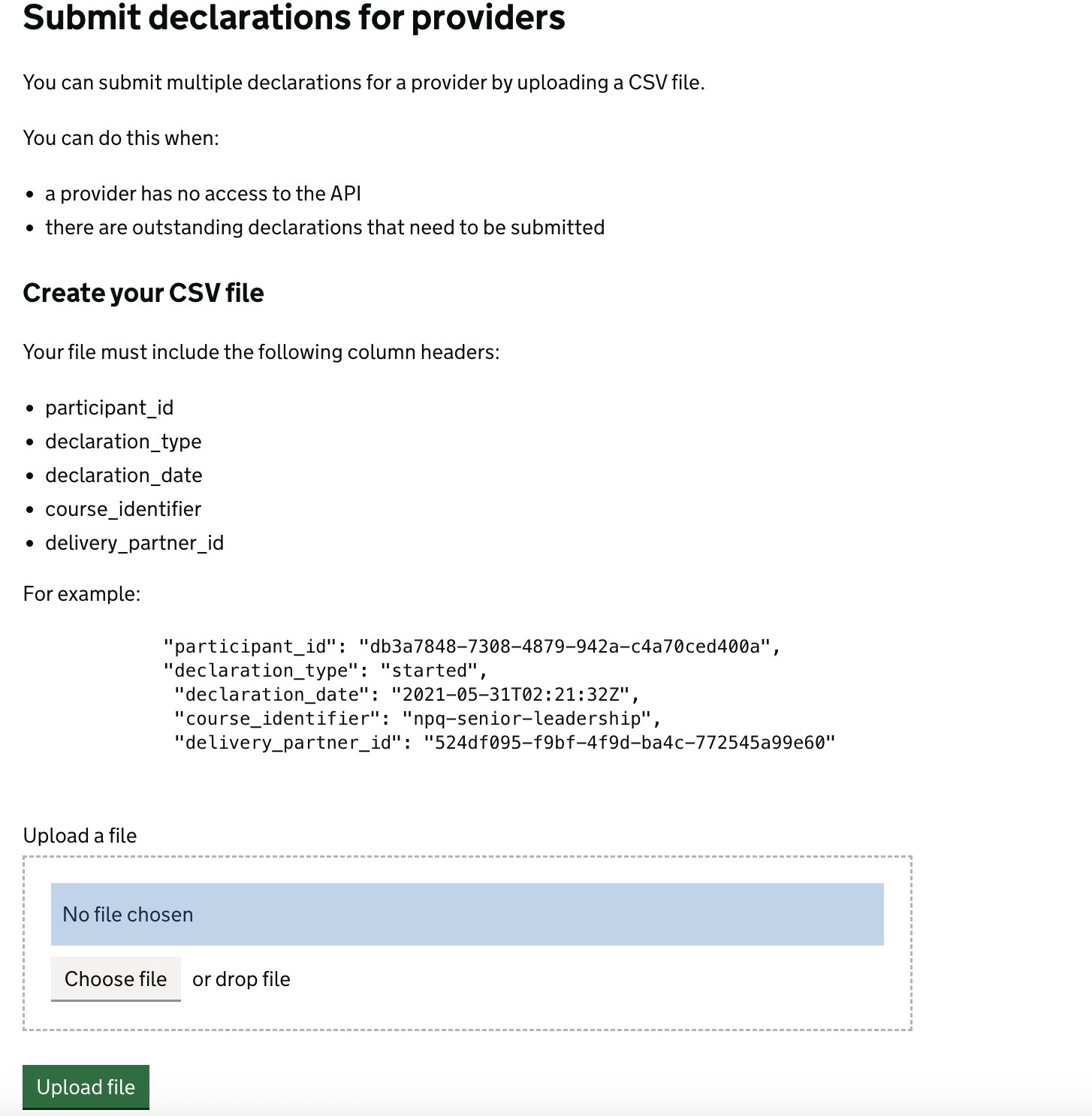
- submit declarations for providers
Revert applications to pending
Reject applications
Update and verify teacher reference numbers (TRNs)
Submit declarations for providers
Super admin users can submit declarations for providers in case there are outstanding declarations once they roll off the NPQ programme. This ensures accurate data for the DfE and enables users to receive their certificates.