Adding a change provider feature
Summary
We introduced a 'change provider’ feature to let participants switch training providers after registering.
This reduces friction, avoids duplicate registrations, and prevents multiple providers assessing a user at the same time.
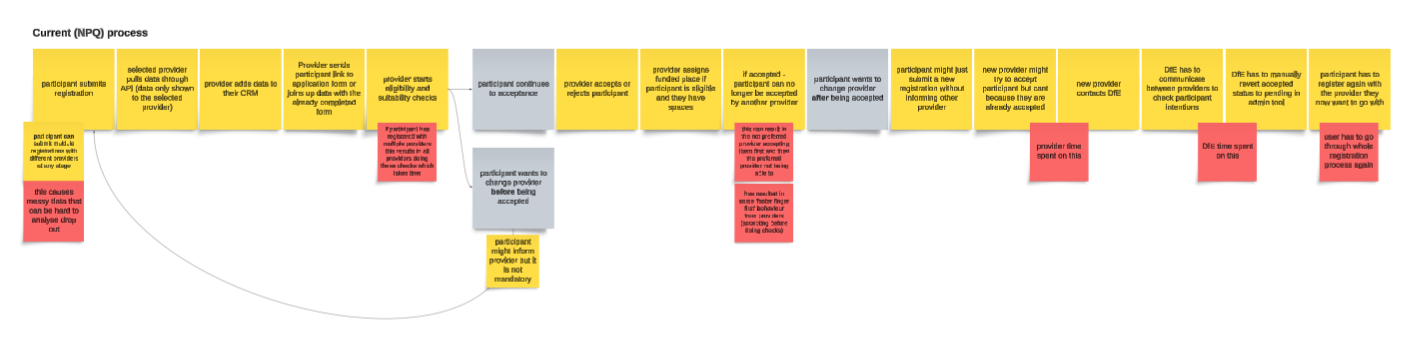
On NPQs, participants often created multiple registrations to maximise their chances of getting a funded place. This encouraged providers to accept users quickly, sometimes before assessing suitability, which led to participants being accepted by the wrong provider and DfE needing to manually revert registrations.
Why we introduced it
Users may need to change provider because:
- they do not get a funded place
- timings do not work
- they reconsider their choice of provider
Without this feature, users would need to restart the process.
We wanted to:
- avoid duplicate registrations
- support real user behaviour
- give providers clarity over ownership
- ensure only the intended provider could accept the participant
- reduce DfE staff time spent reverting applications
Key decisions
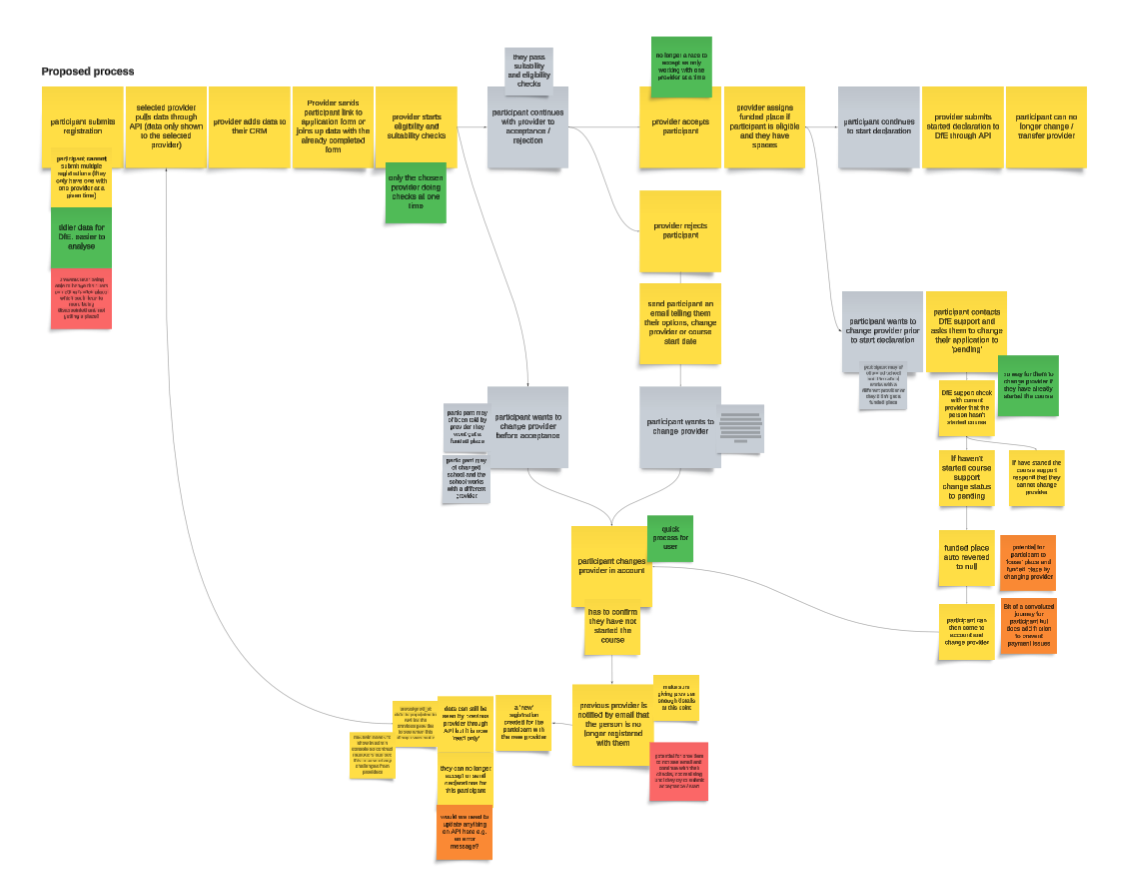
One registration
We restricted to a single registration per participant, so that:
- users can switch provider within it
- ownership moves between providers
This avoids duplication and keeps tracking simple.
Controlled switching
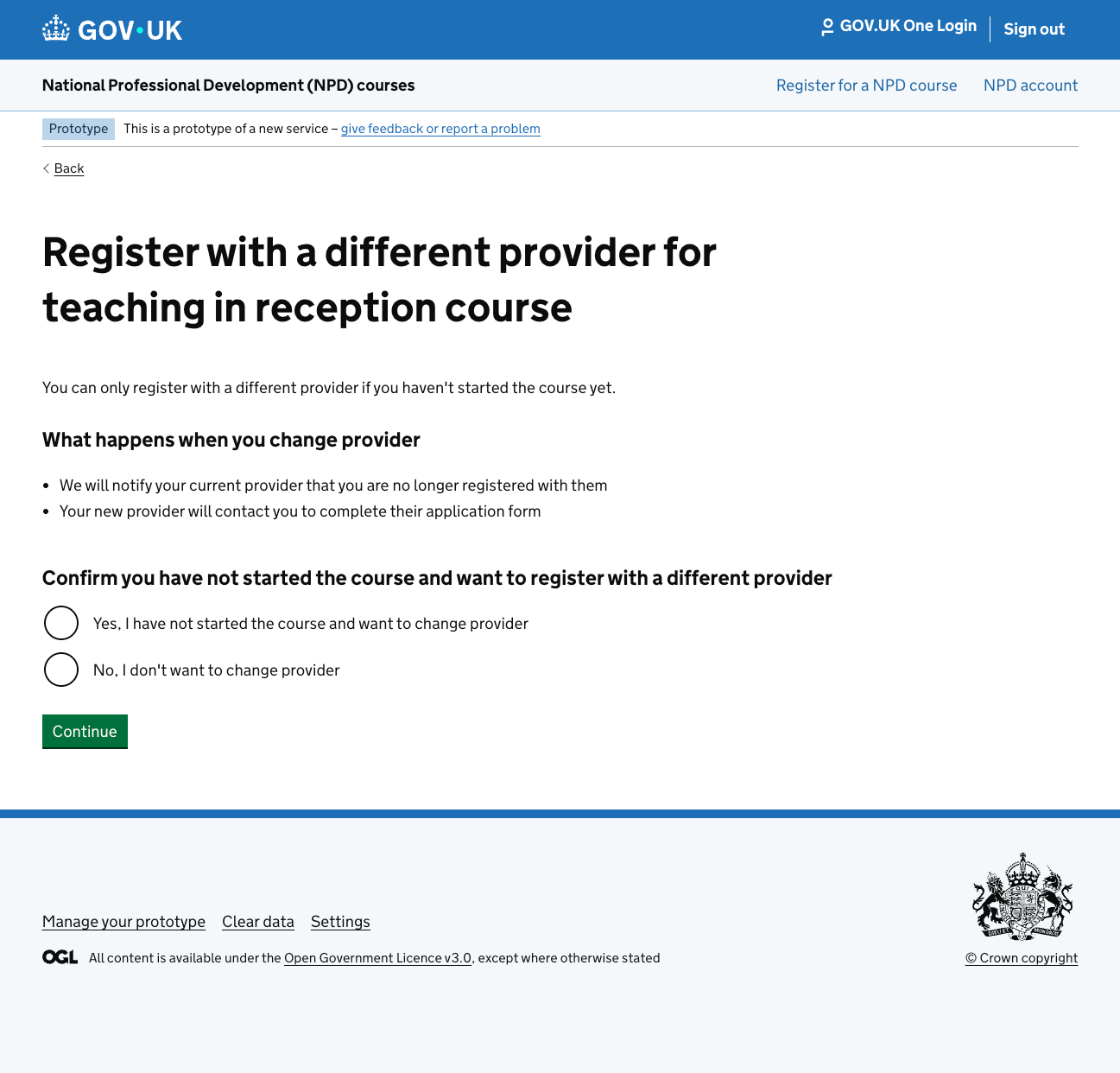
Users can only change provider before they have started the course.
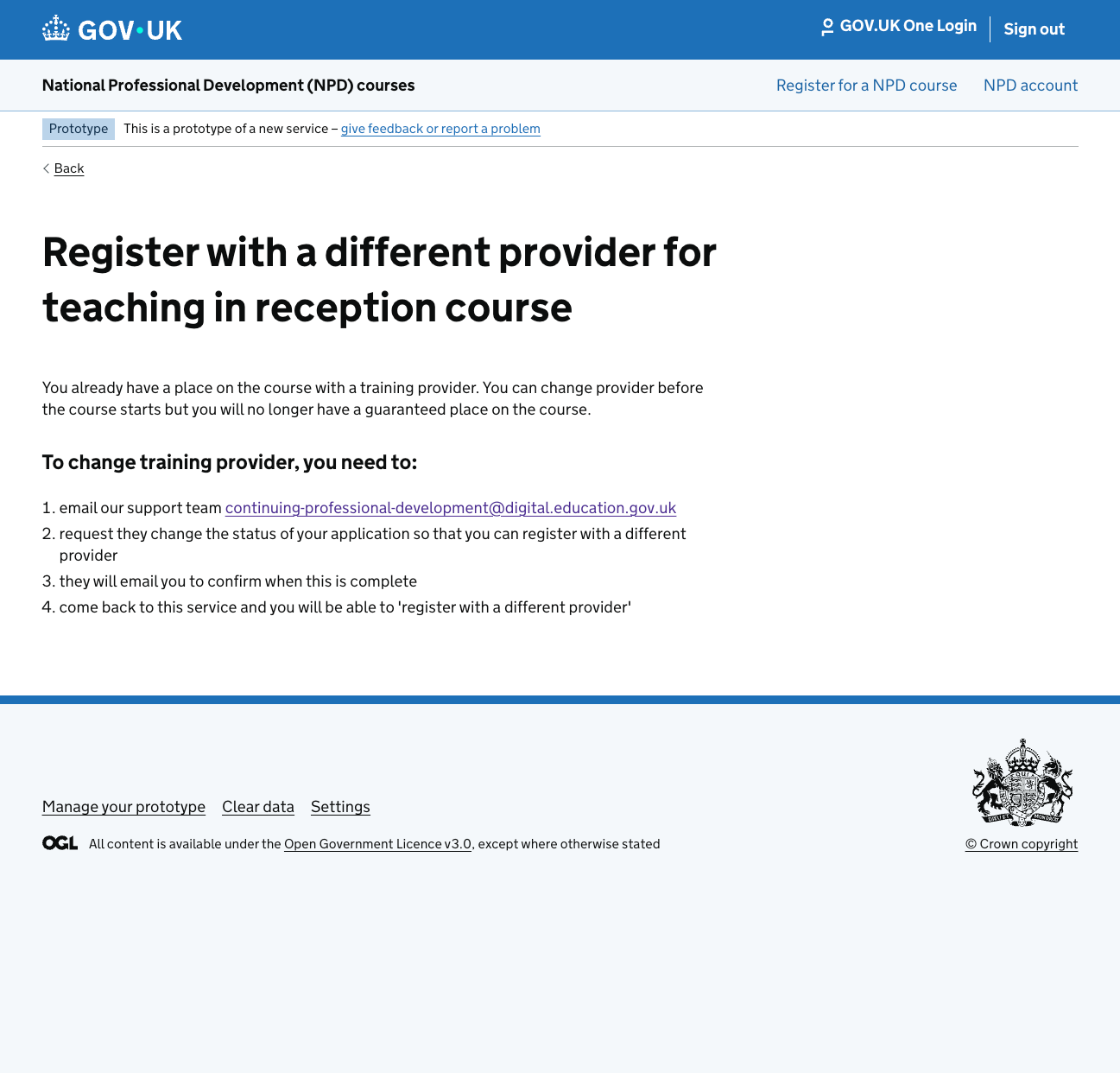
If they have been accepted by their provider they must first get their registration reverted to pending before proceeding to change provider.
This prevents users switching providers when they have started the course so that there is no complications around payments to providers.
Provider visibility
We designed clear access rules:
- new provider → full access
- previous provider → read-only
- all changes tracked and date stamped
This ensures continuity and auditability.
How it works
Journey
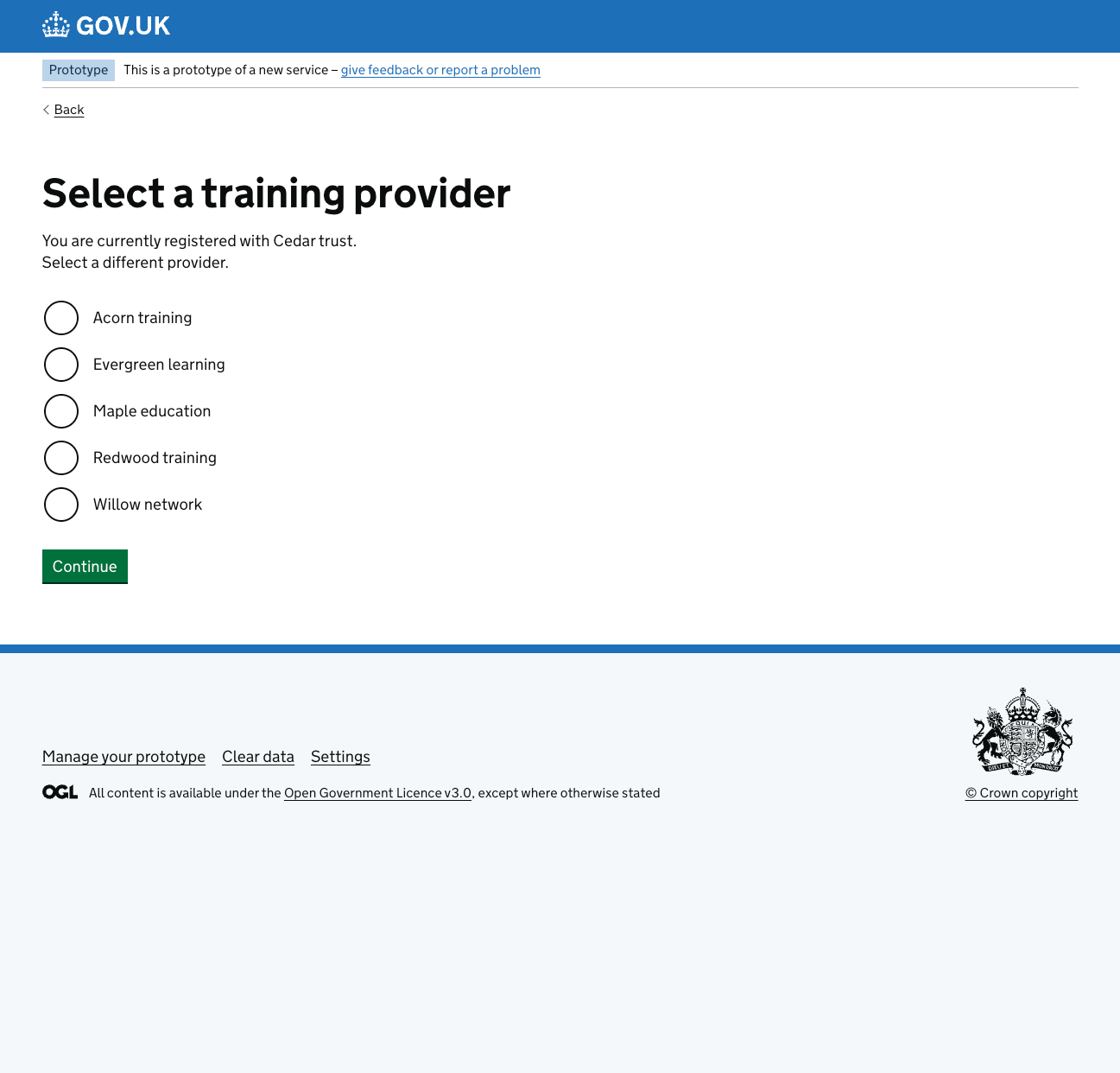
- User registers and selects a provider
- Provider receives the registration
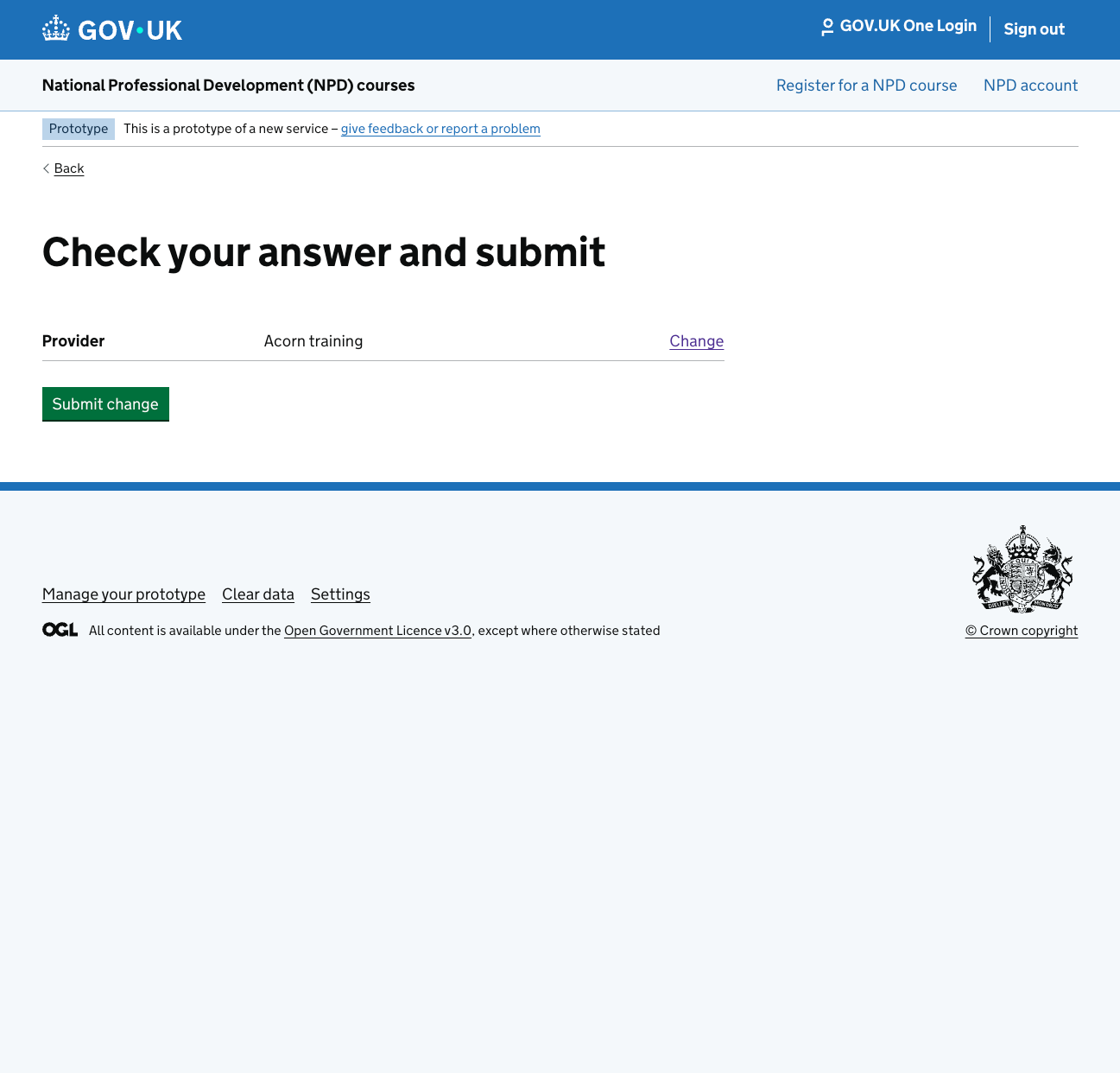
- If needed, the user returns and changes provider
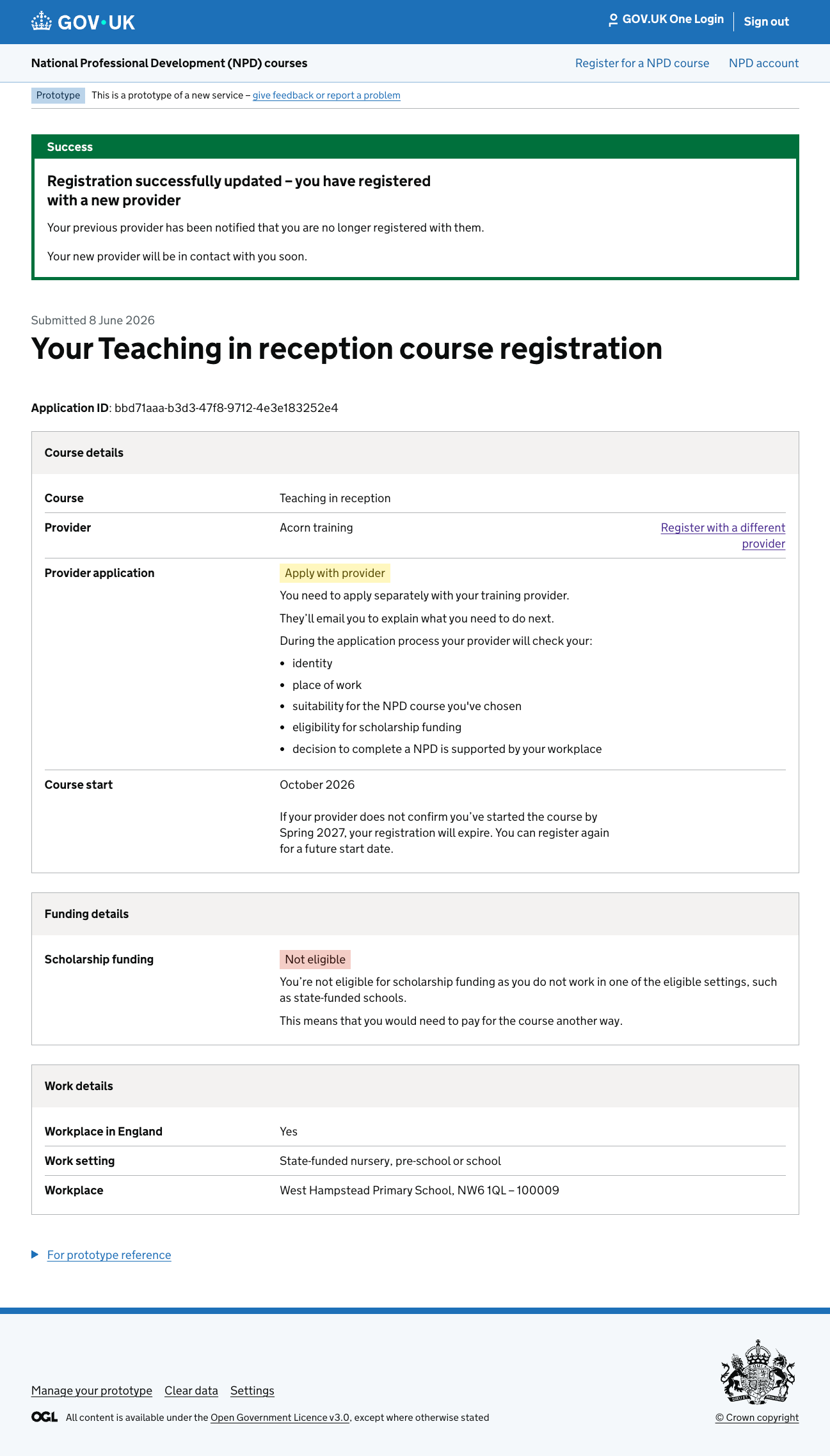
- Registration is reassigned to the new provicer
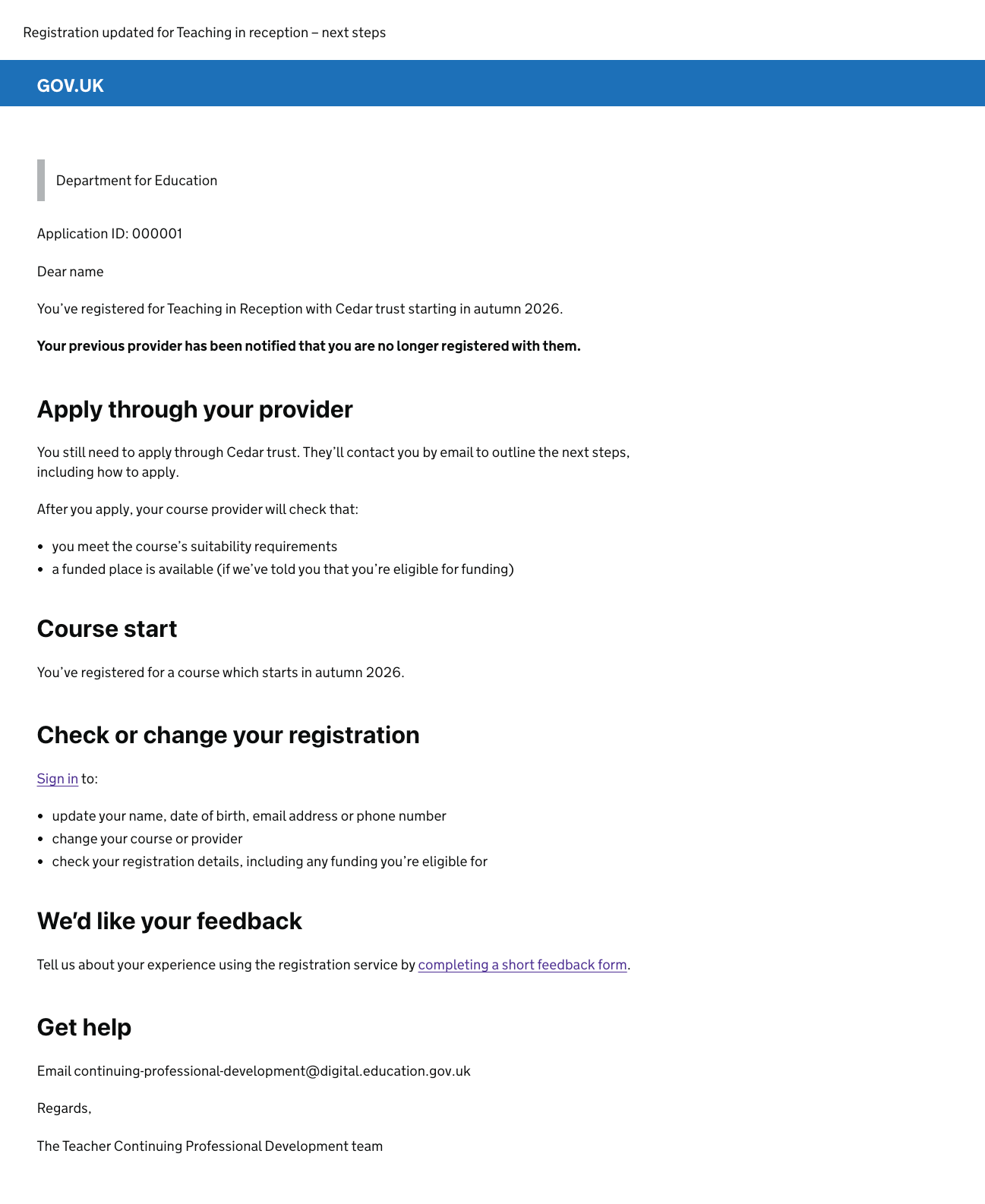
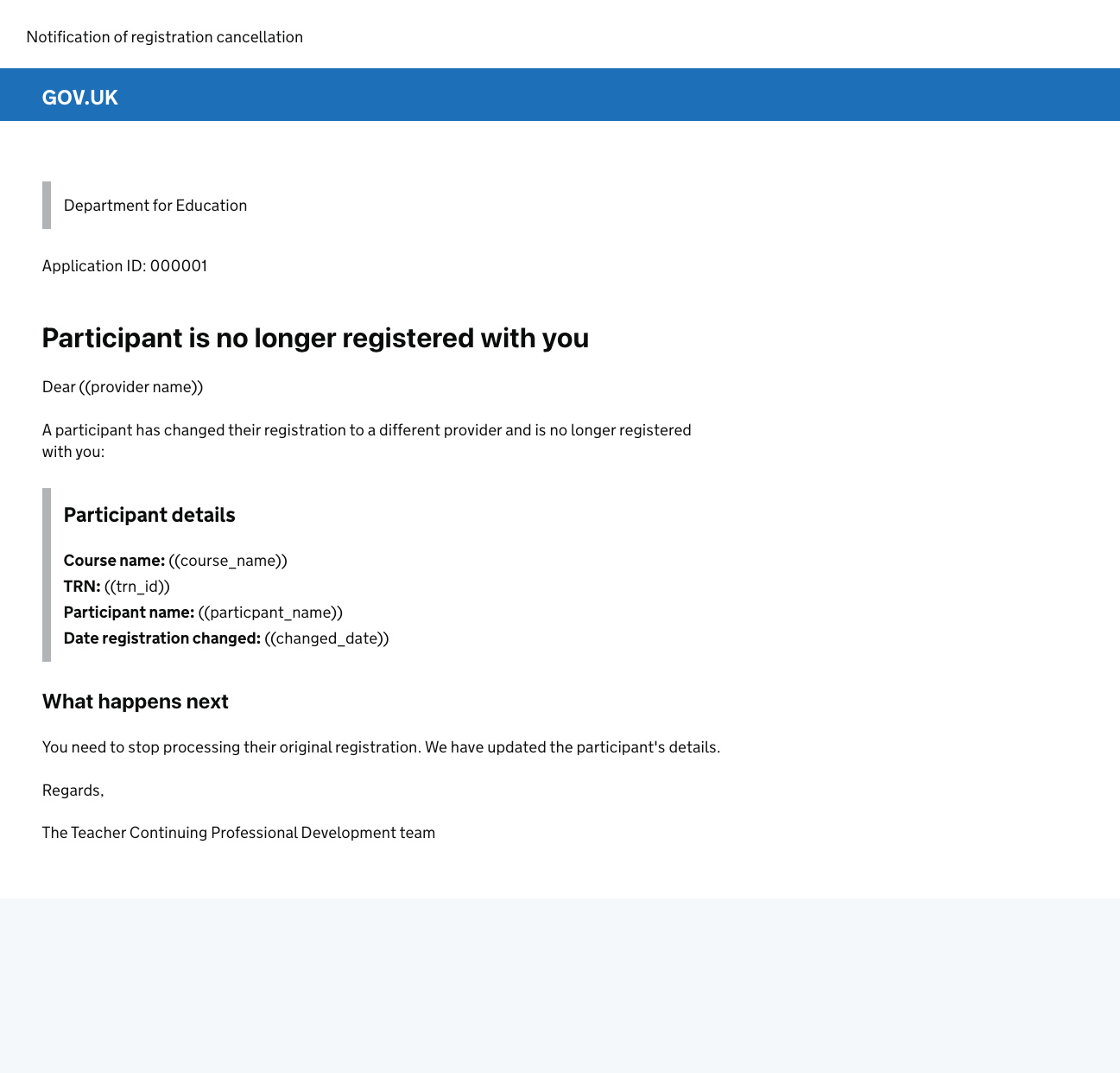
- Previous provider is emailed to notify them the participant is no longer registered with them
- New provider starts process to assess the participant
Registration status
The journey changes depending on status:
Pending or rejected
- can change provider
- registration is reassigned
Accepted
- user must contact support stating they want to change provider
- support check with the provider that the user has not started the course
- registration is reverted to pending
- user returns and can change provider
- registration is reassigned
Started
- cannot change provider
- continues with current provider
Working with providers
We worked closely with providers:
- shared demos via Teams
- gathered feedback on risks and usability
- iterated the design
Providers asked for:
- visibility of registrations that had changed provider
- visibility of previous providers
- dates of when the change was made
We adapted the solution to meet these needs.
Testing with users
We tested this journey as part of beta:
- users could complete it easily
- the flow felt smooth
- minor improvements identified:
- clearer navigation
- better access to provider links
Overall, the journey worked well.
Impact
Participants
- can switch without reregistering
- less frustration
Providers
- clear ownership
- less admin
- better visibility
DfE
- cleaner data
- fewer duplicate applications
- more efficient operations
Monitoring
We will track:
- how often users change provider
- support queries about changing provider
- completion rates for the process
- provider feedback
This helps us identify issues and iterate.
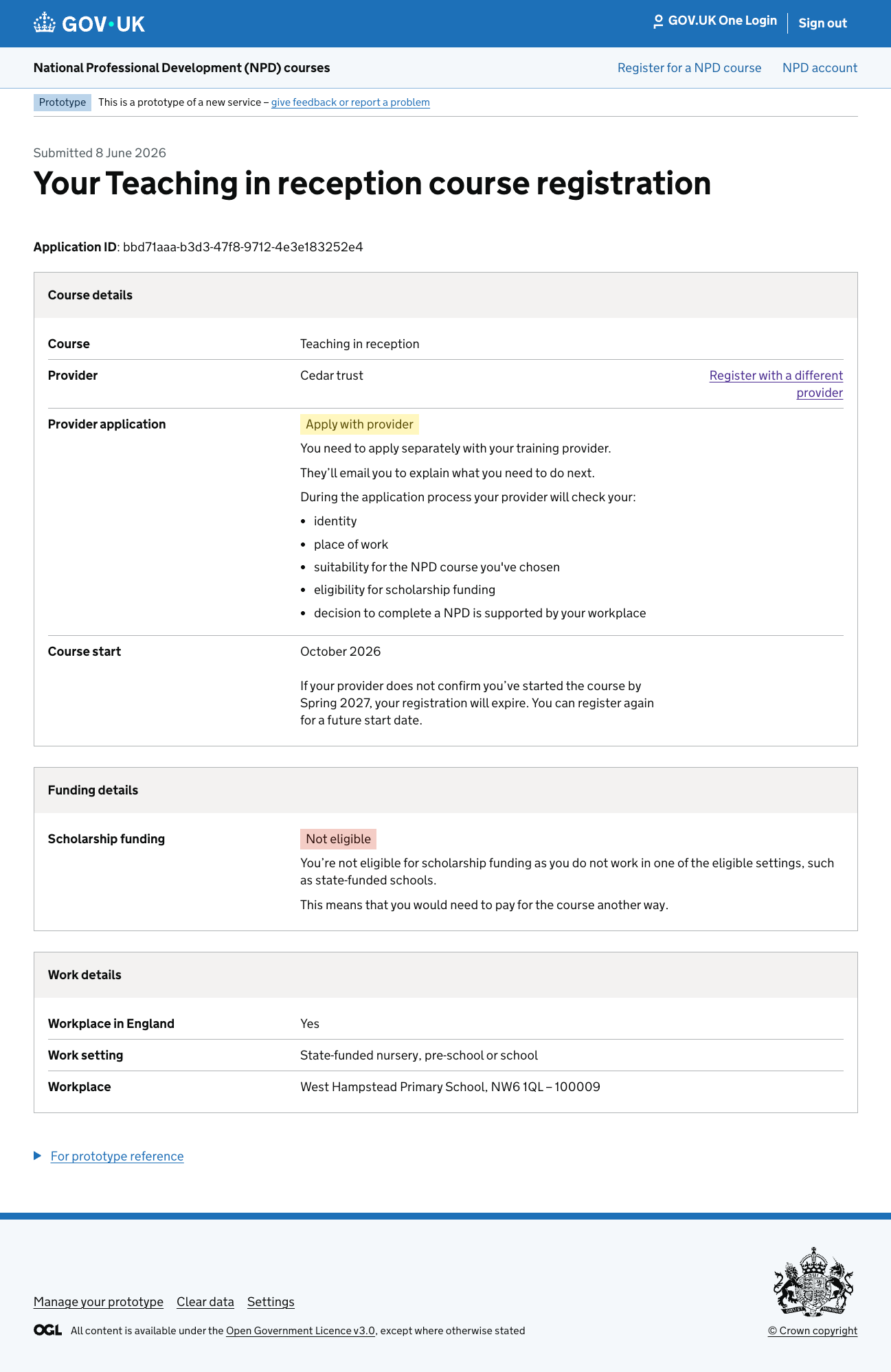
Screenshots of the process