Iterating financial statements to improve filtering by date
Context
Upon researching our design for financial statements with contract managers, we noted that there was a clear requirement to see statements that are most recent, specifically ‘now and next’. This is not to say that other statements are not important, but that recent statements are accessed more frequently.
We also discussed how the current design for filtering by date will becomre more restrictive as time goes on. This is because we’d used a ‘drop down’ pattern which allowed the user to select from a list of dates. As time goes on, this list will become longer and longer, making it more difficult to find the correct statement.
What we’ve designed
We’ve iterated our design so that the default view, without filters applied, show statements for the current and upcoming statement dates. This is to allow for easy and quick access to the most recent and relevant statements. If a user wishes to see other statements, they can apply filters to do so.
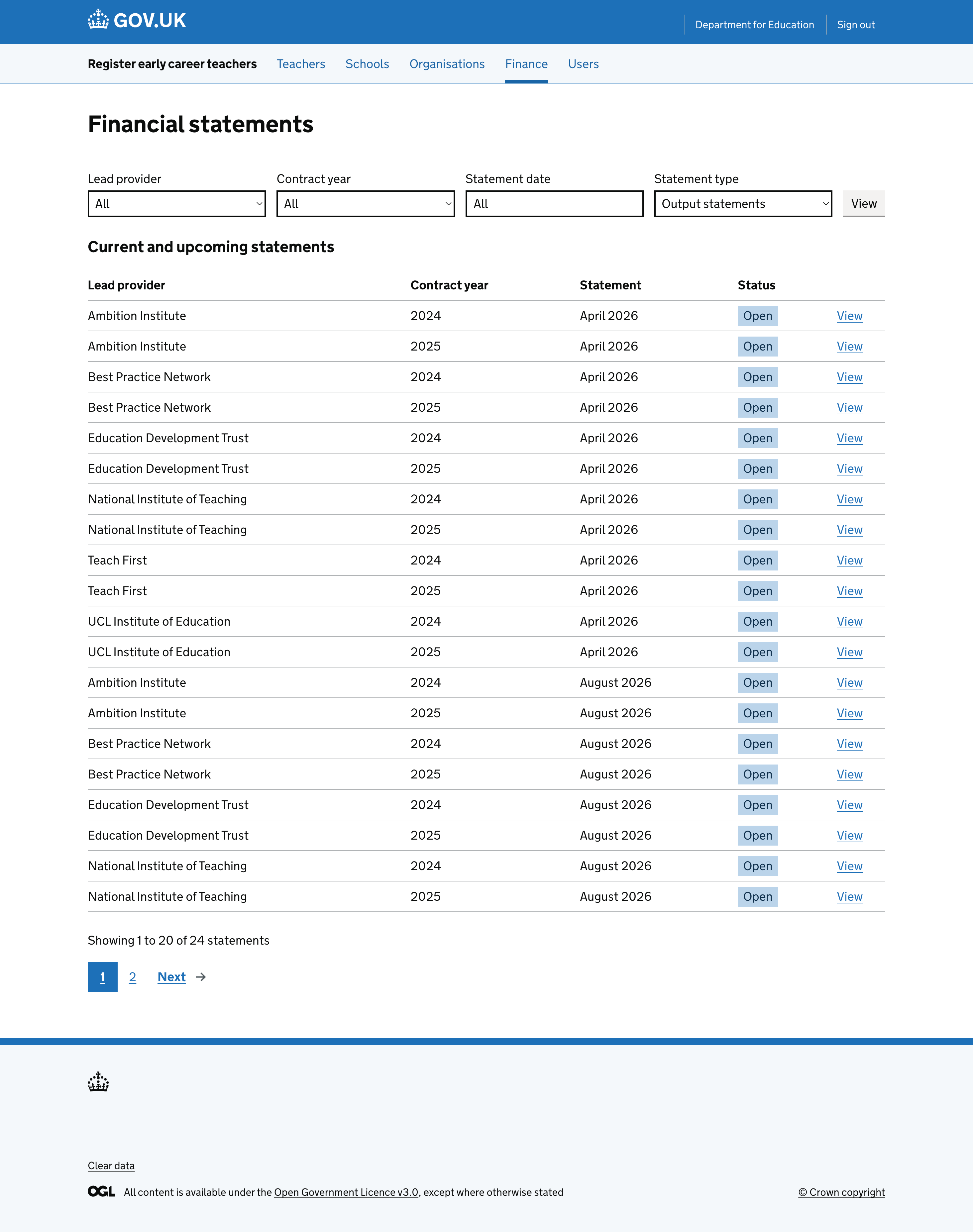
We’ve also iterated the date filter option. As a ‘month picker’ pattern does not exist within government design patterns, we’ve iterated a ‘date picker’ pattern used elsewhere within government. This original pattern allows user to select a specific date from a calendar. We’ve iterated and adapted this to instead allow users to select a month and year, rather than a specific date.
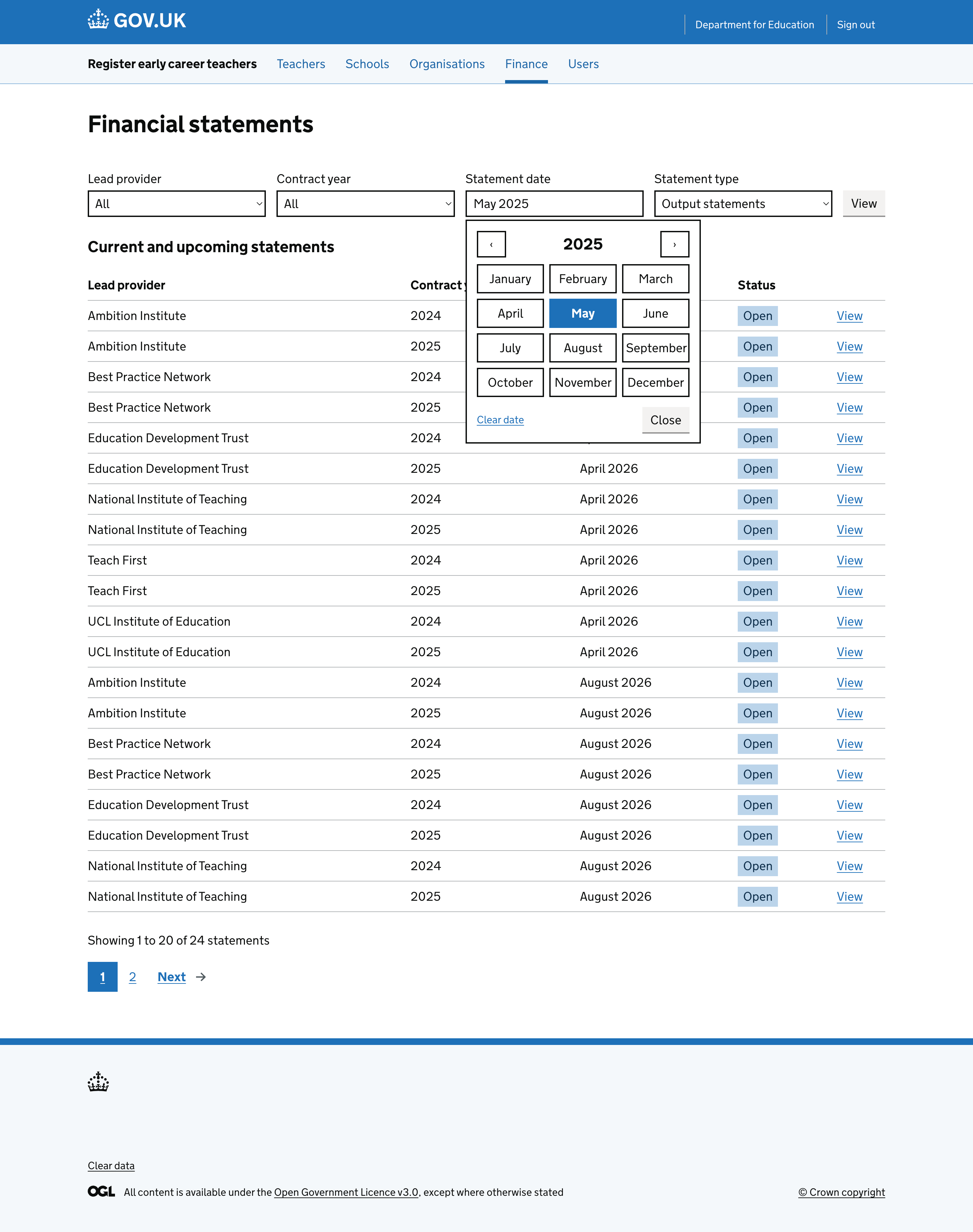
We’ve tested these changes with the contract managers and they’ve been well received. We’ve not yet implemented the month picker pattern, as we’re exploring the technical feasibility of implementing this and it is currently on the backlog to do so post-MVP.