Designing the functionality for the admin console

What we needed to design

We needed to design an admin console that lets us add, delete, and update Register ECTs data. This includes information supplied by schools, appropriate bodies, and lead providers. A lot of similar capability exists in the previous ECF1 admin console, so we’ve reused what works well while improving areas that were inefficient or unclear.

We also decided to merge the finance and admin tooling. Previously, these had to be signed into separately, which caused friction and annoyance for users of both. Now, we’ll have permissions for users that need access to both, and they can more easily navigate between the two.

How we’ve designed and ensured we’re meeting needs

We approached the design by taking learnings from the ECF1 admin console, and creating a shared library of patterns for the new console. Related admin journeys sit close together so navigation feels intuitive rather than fragmented. We tested with the teams who will use the console, gathering early input on their needs and expected outcomes and then reviewing designs with them to validate the improvements.

What we’ve designed

Below is a comprehensive set of screenshots of the different aspects of the admin console we’ve designed.

Design framework
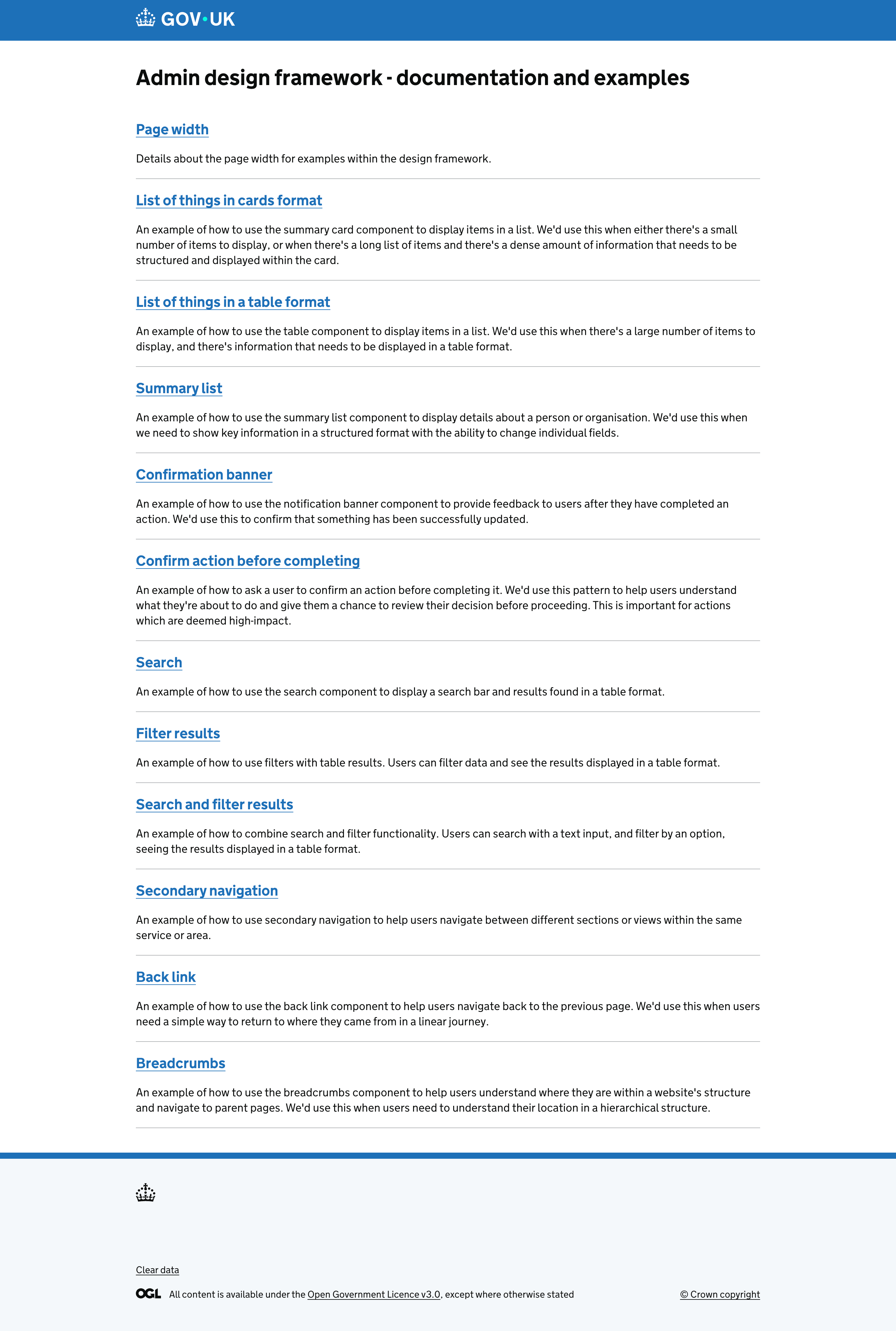
List of design framework patterns
A list of patterns created and documented to be used as a design framework for designing the admin console.
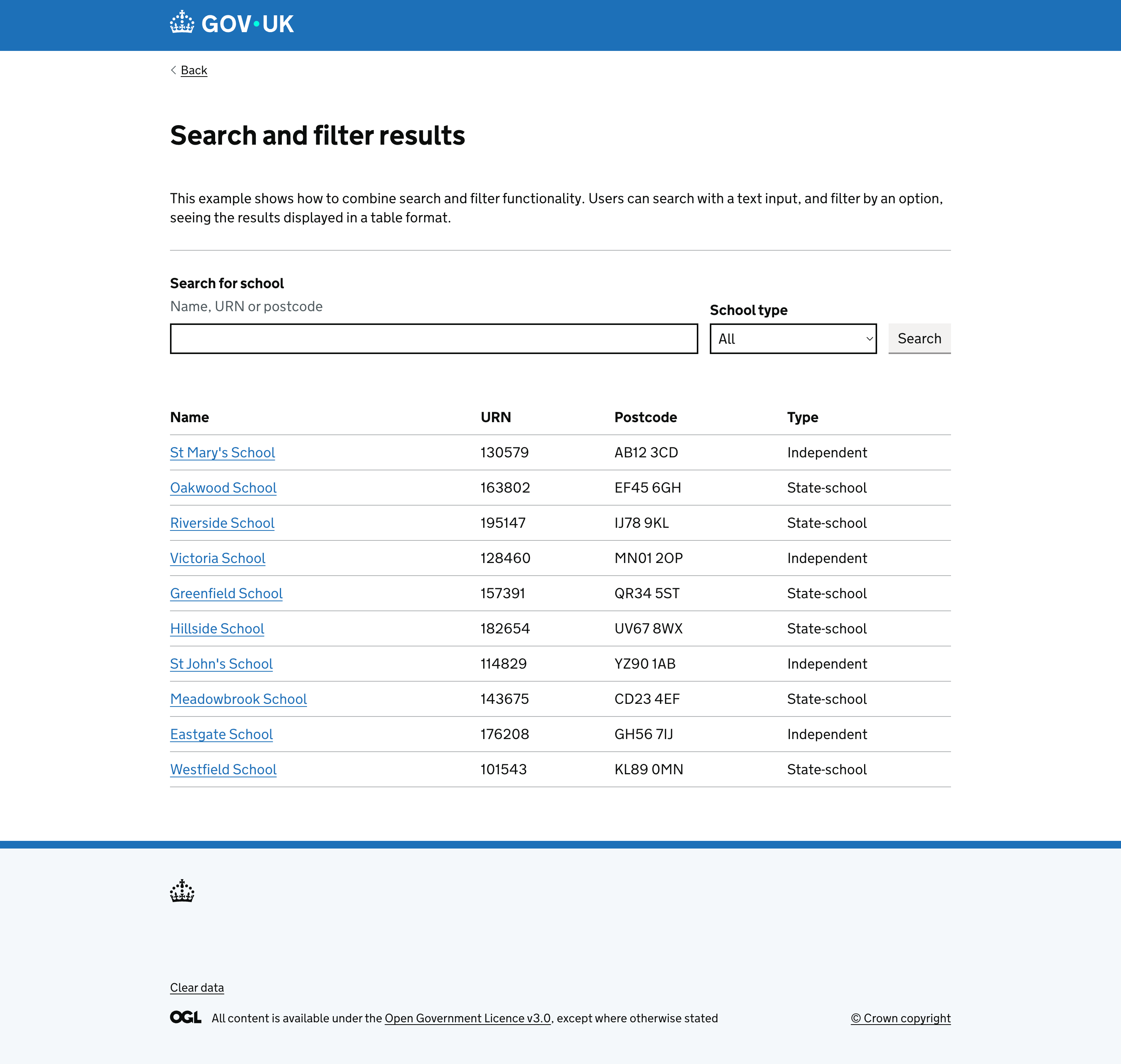
Search and filter pattern documentation in the admin console design framework.
An example of a pattern for searching and filtering as documented in the design framework.

Organisations

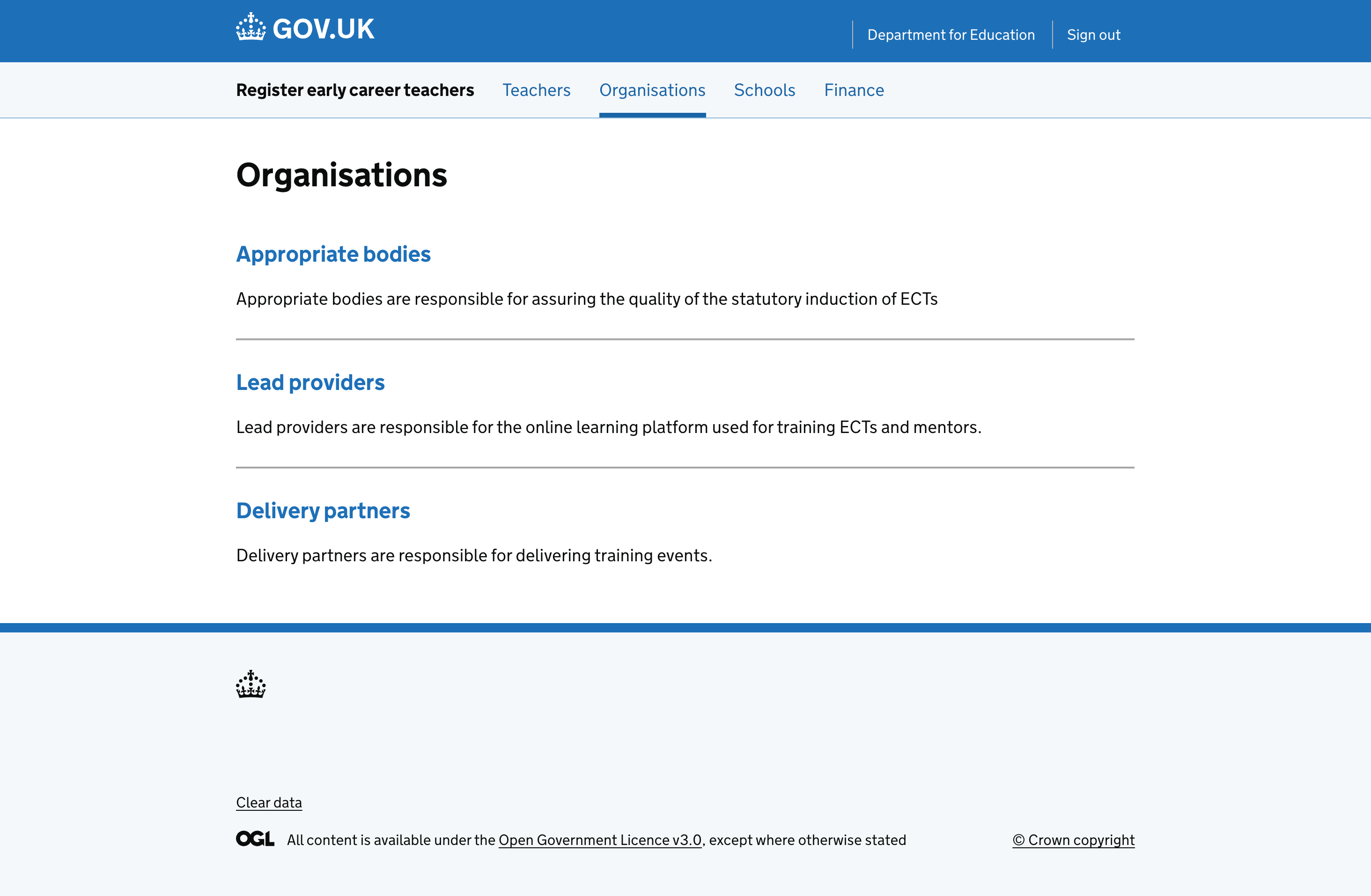
Homepage for list of organisations that can be managed.
A landing page for list of organisations that can be managed.

Lead providers

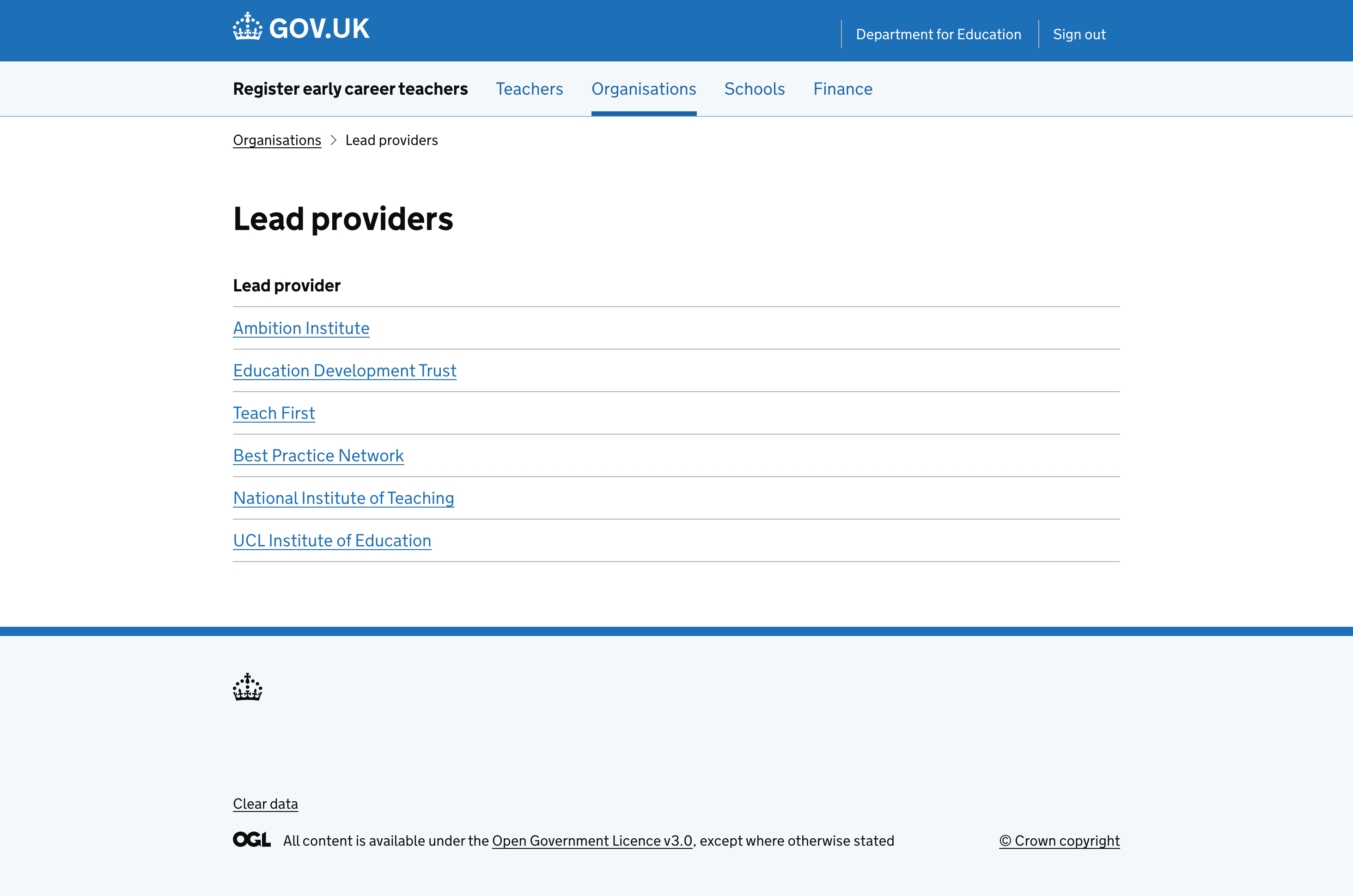
A list of lead providers that can be managed.

Delivery partners

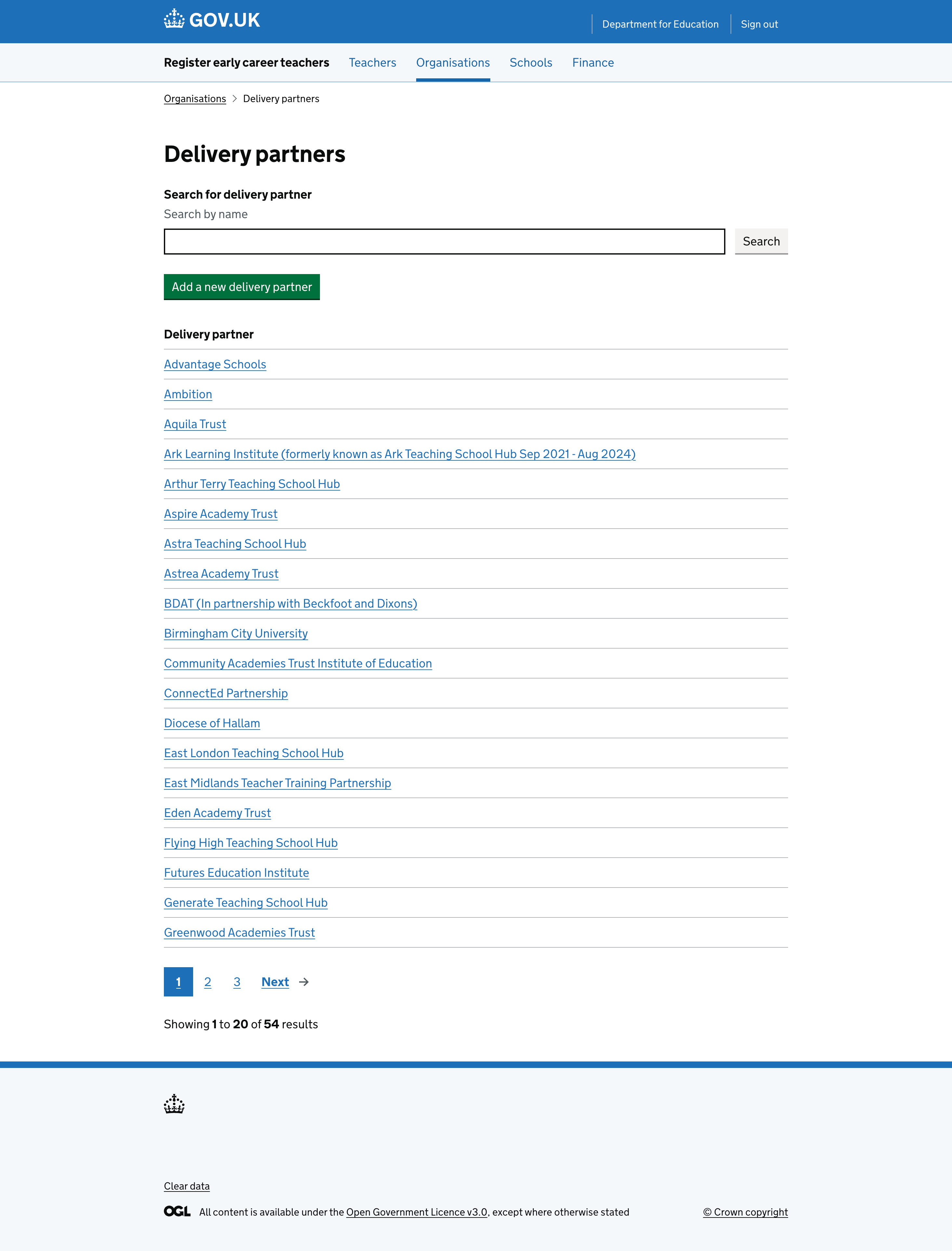
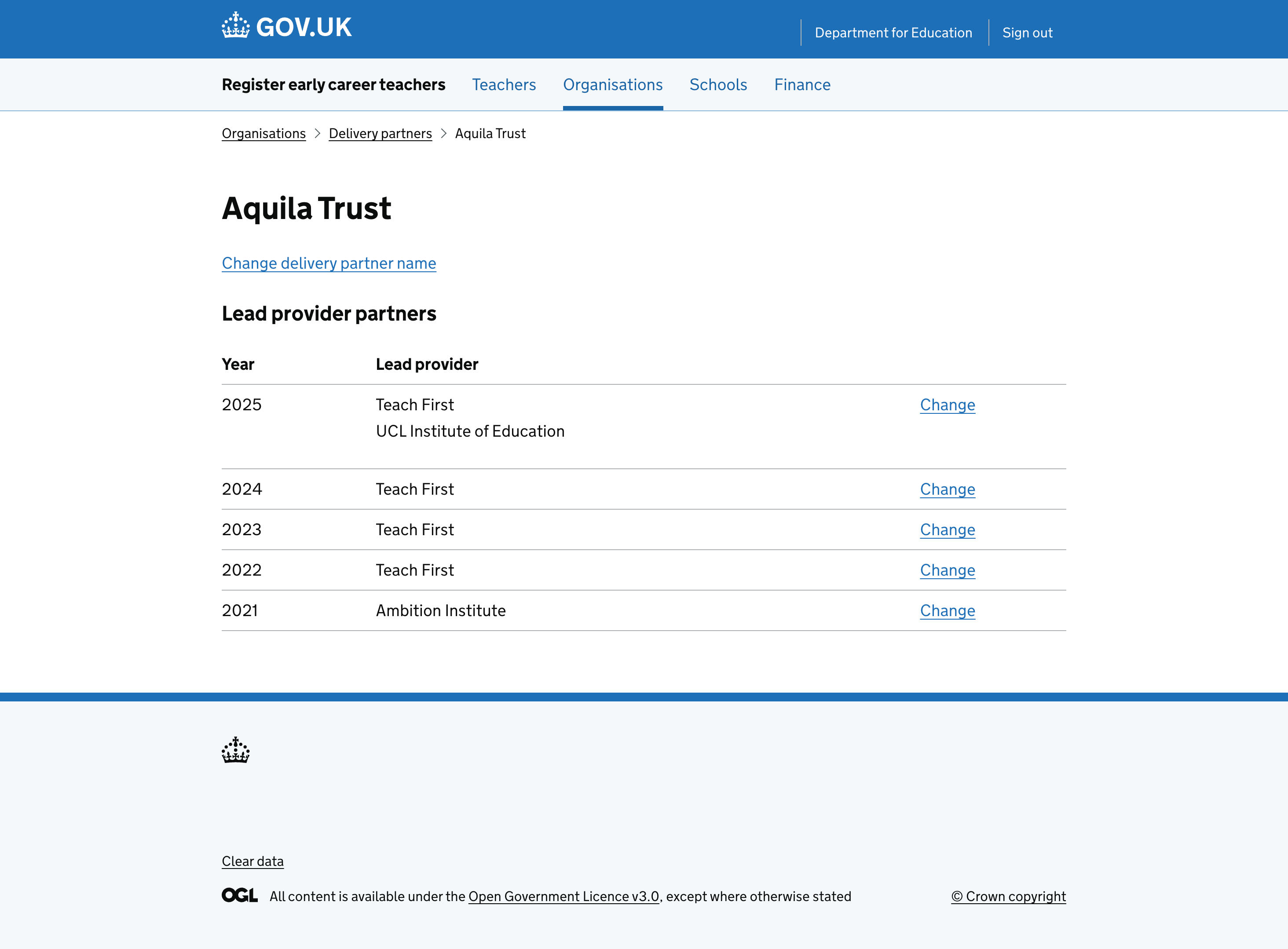
A list of delivery partners that can be managed.
A view of a delivery partner, where information can be viewed and edited.
A view of information held for a delivery partner, where information can also be edited.

Schools

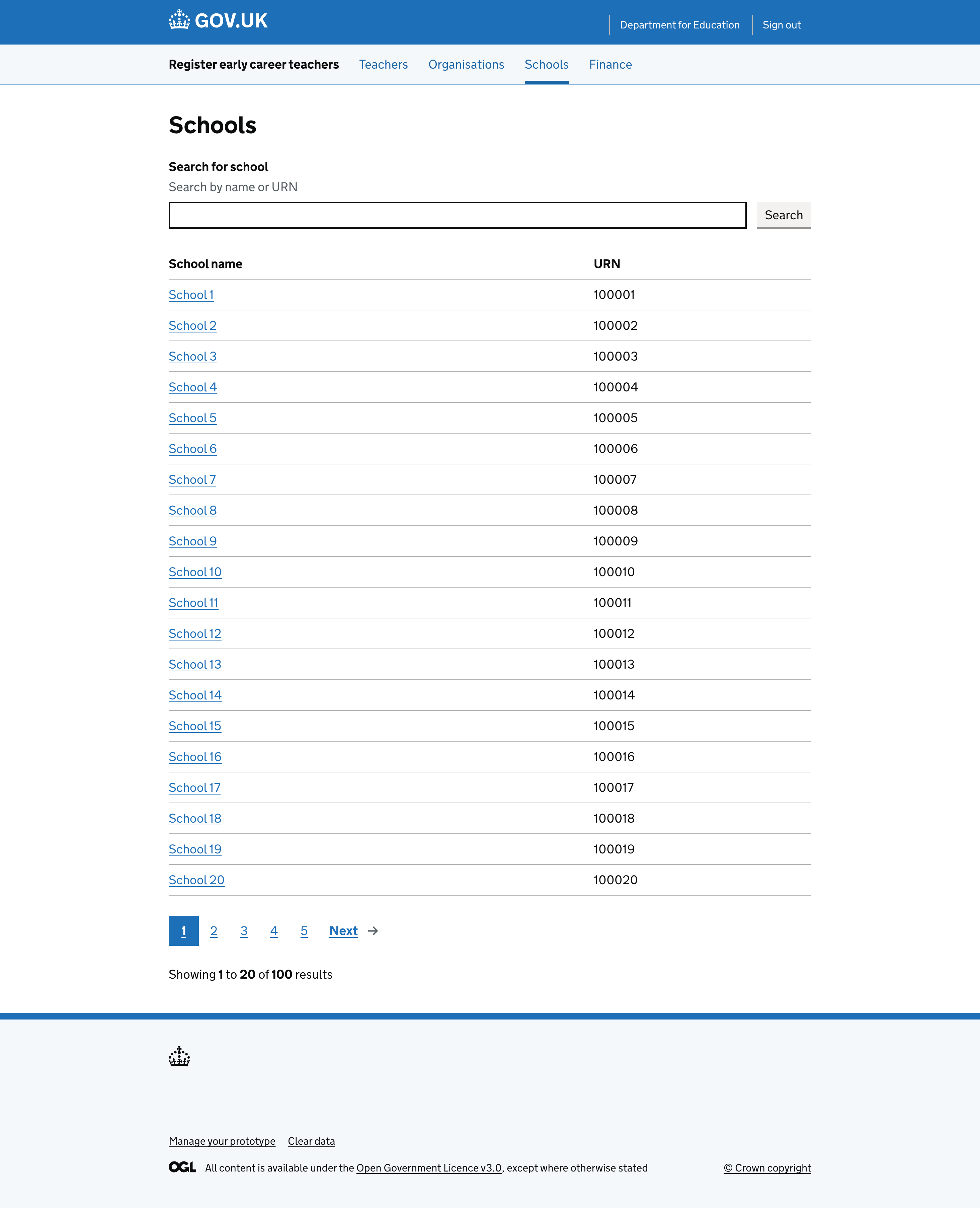
A list of the schools that can be managed in the console.
A list of schools that can be managed in the console.
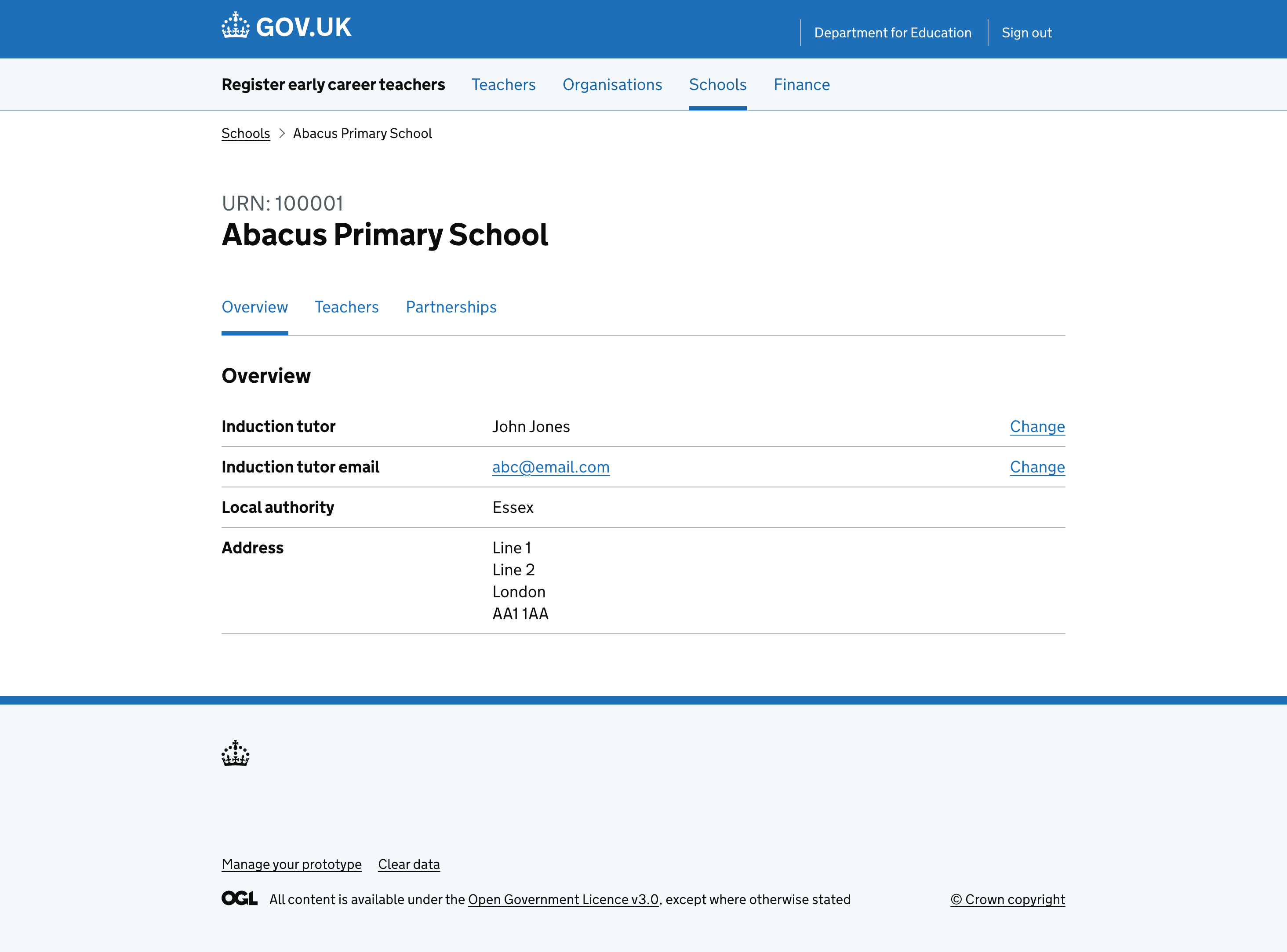
School overview showing key details.
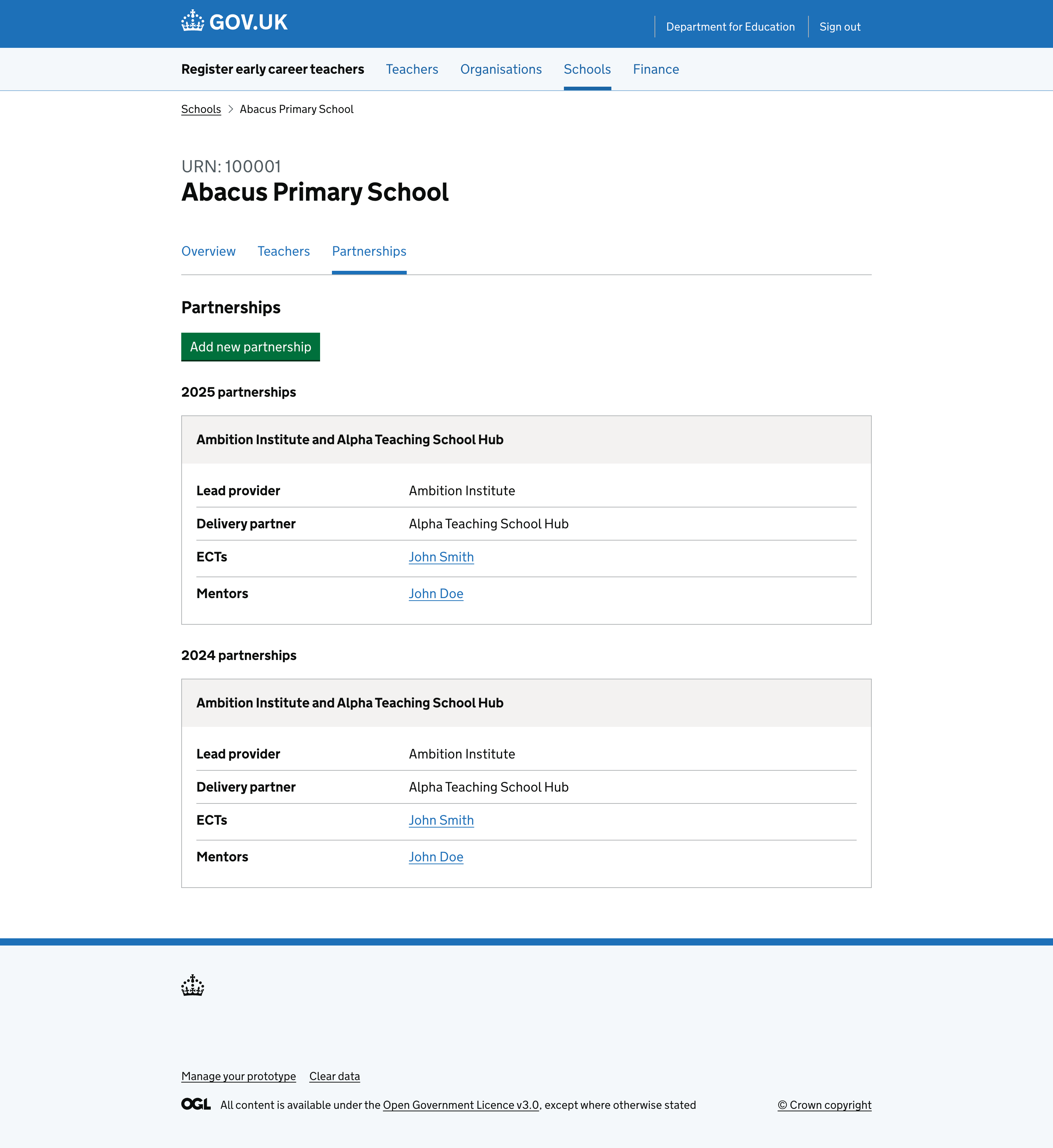
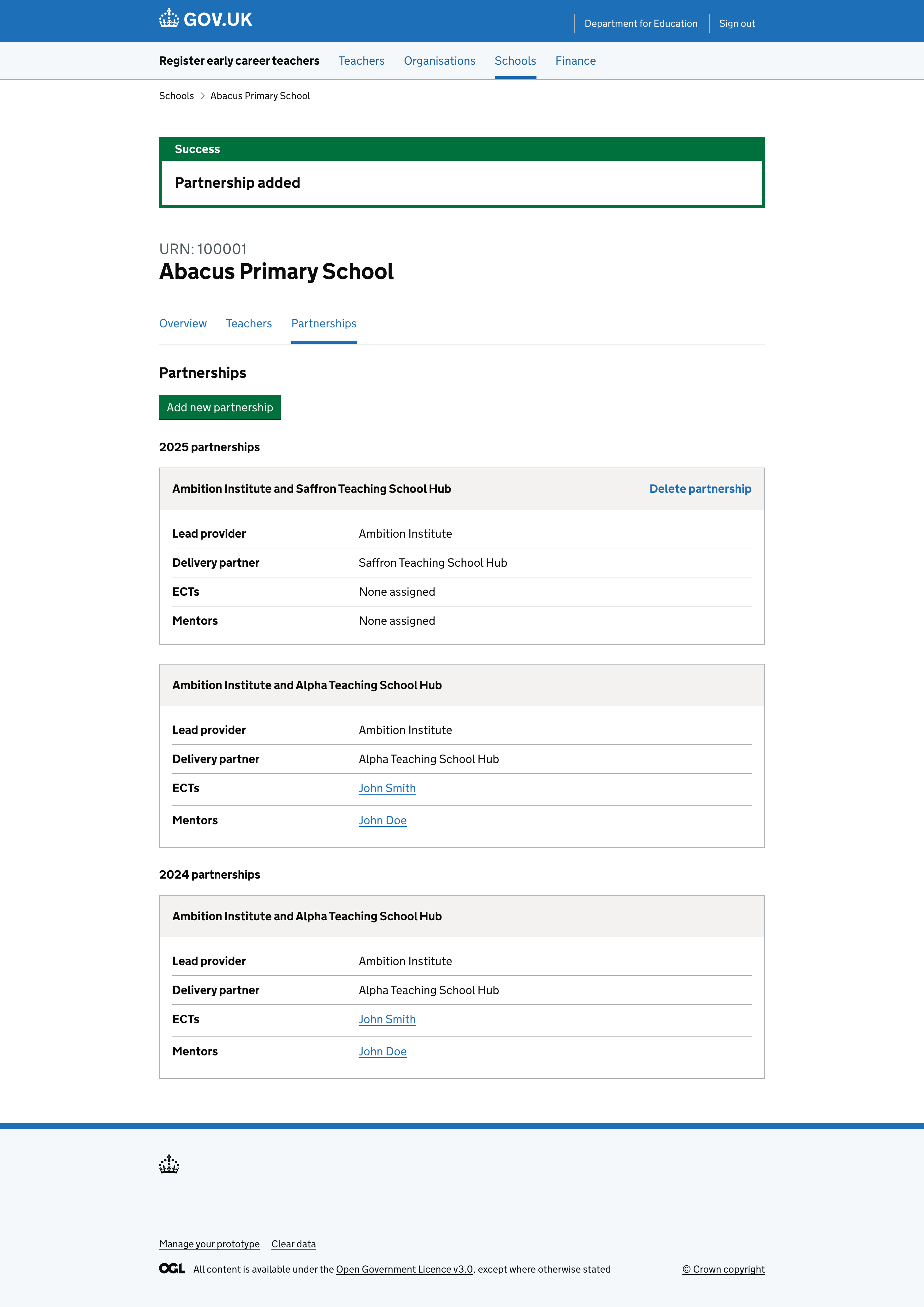
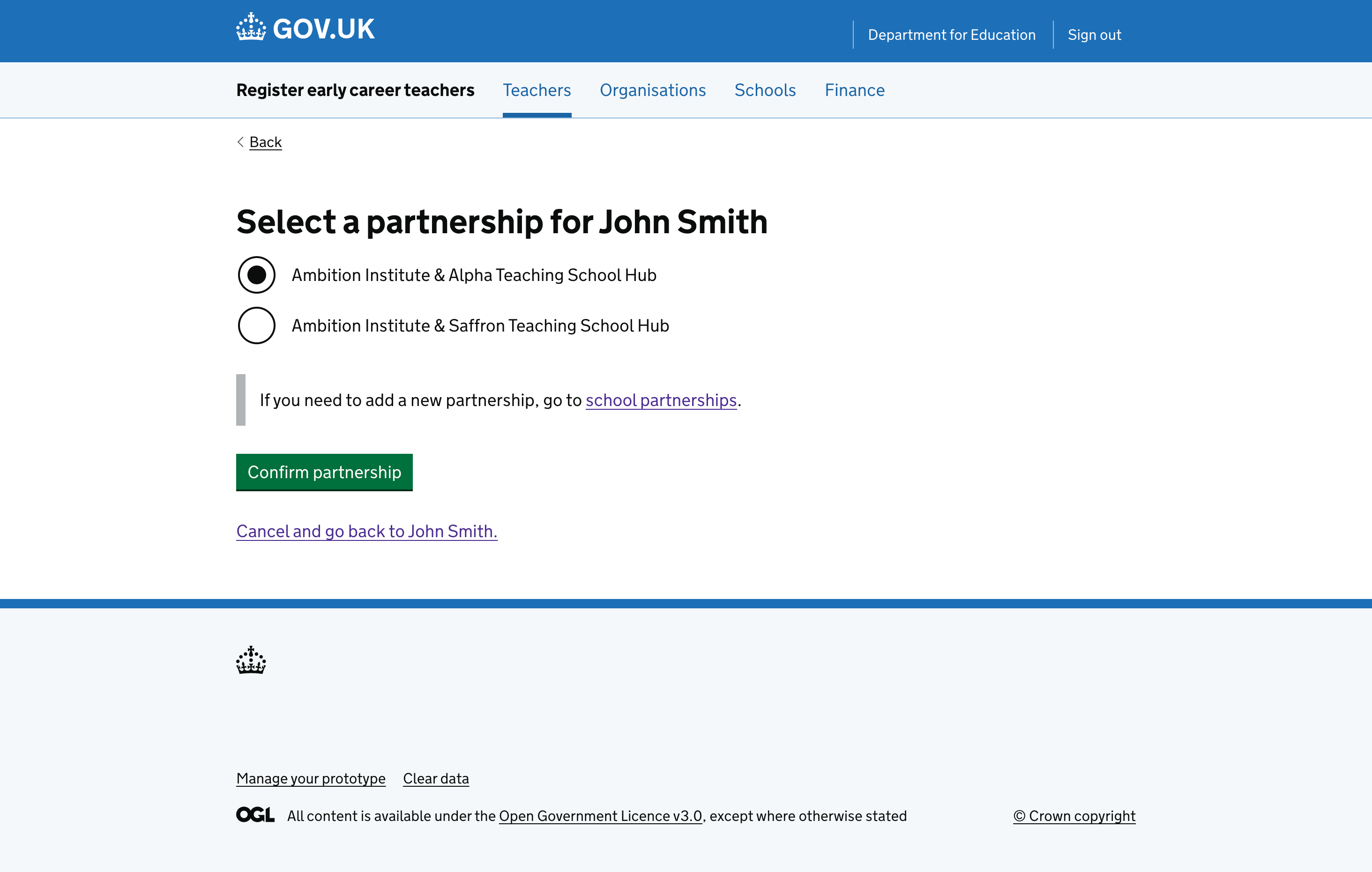
List of partnerships for a school that can be edited and updated.
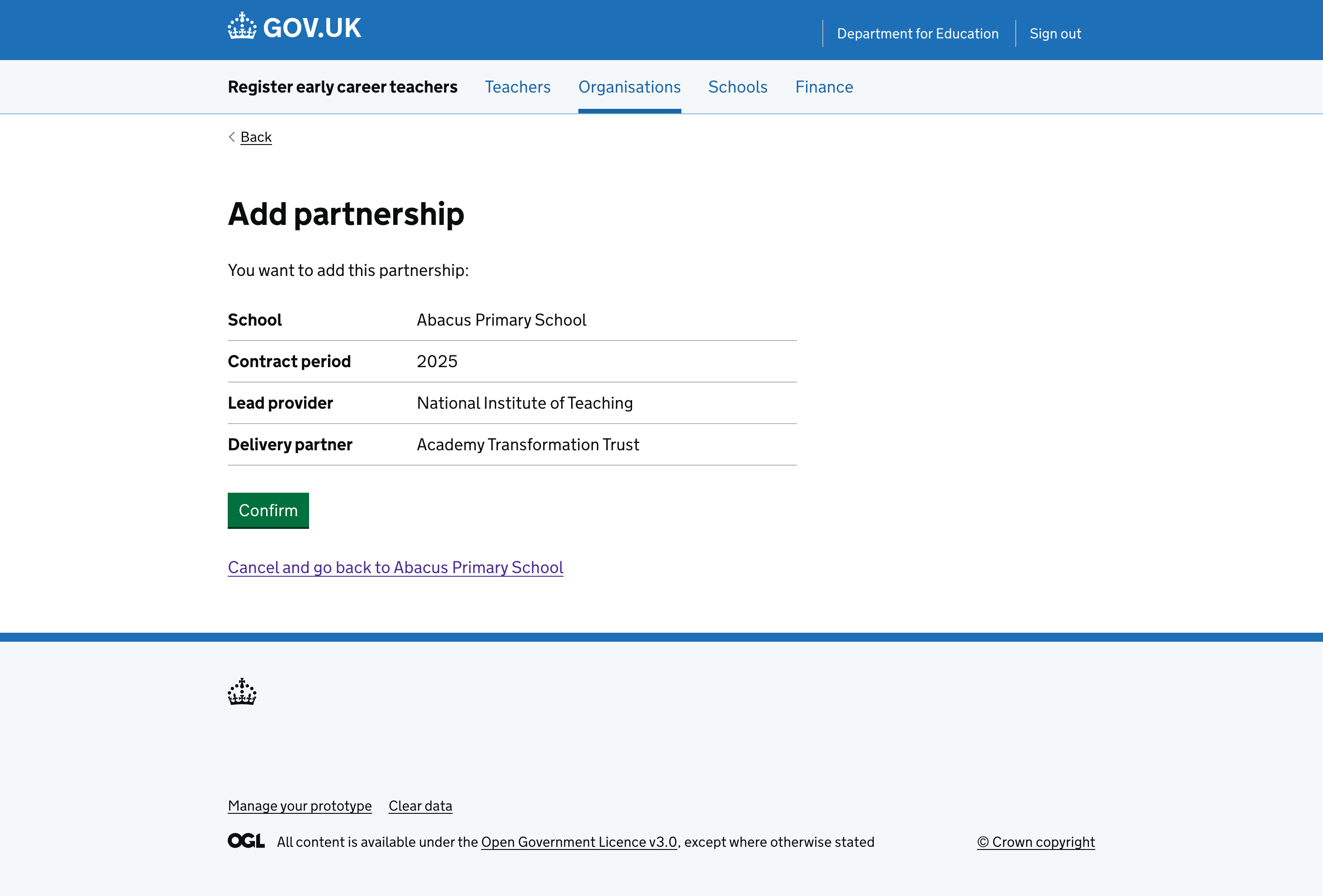
Check your answers page when adding a partnership to a school.
Check your answers page when adding a new partnership to a school.
Confirmation page after adding a partnership to a school.
Confirmation banner after adding a partnership to a school.
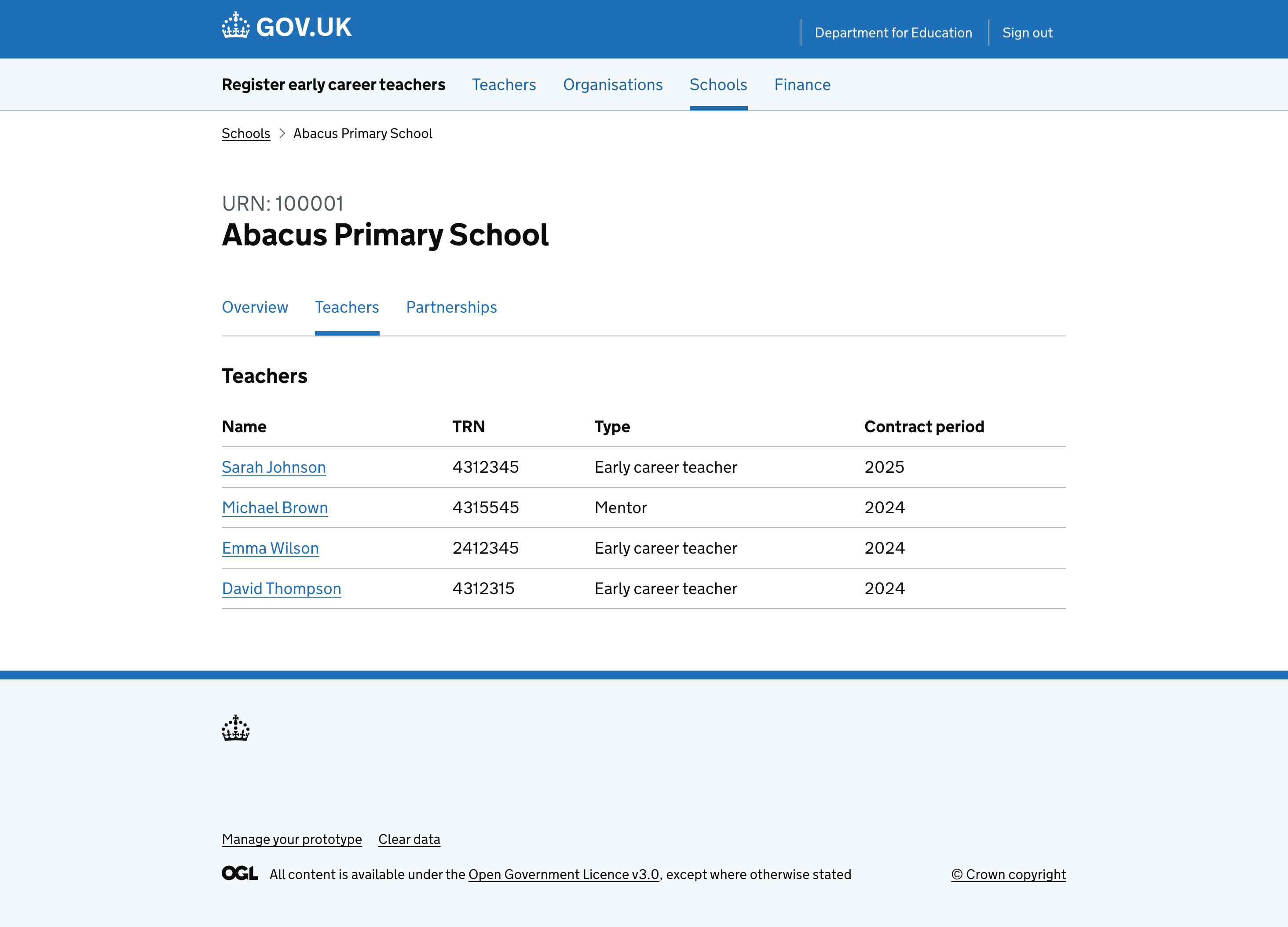
Teachers associated with a school.
List of teachers that are associated with a school.

Teachers

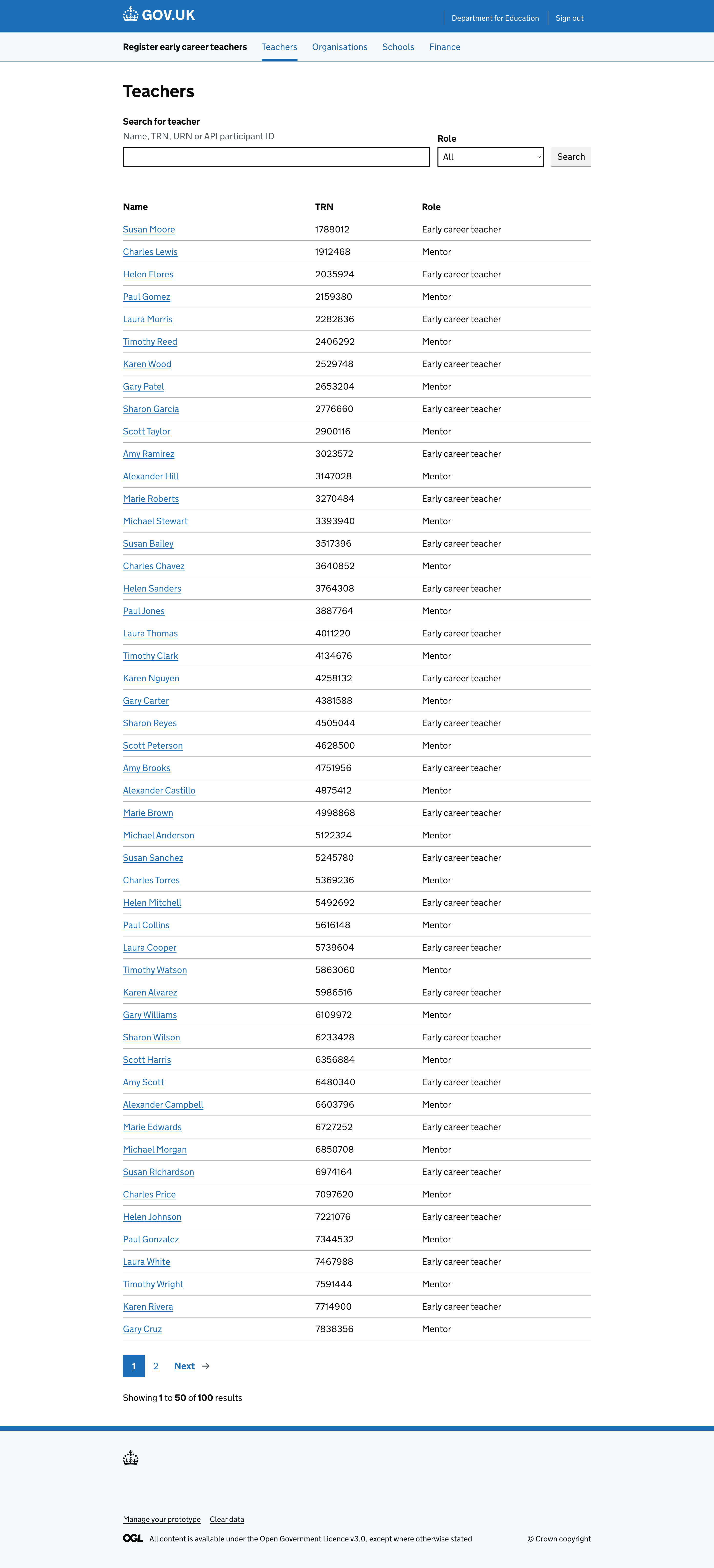
A list of teachers that can be managed in the console.
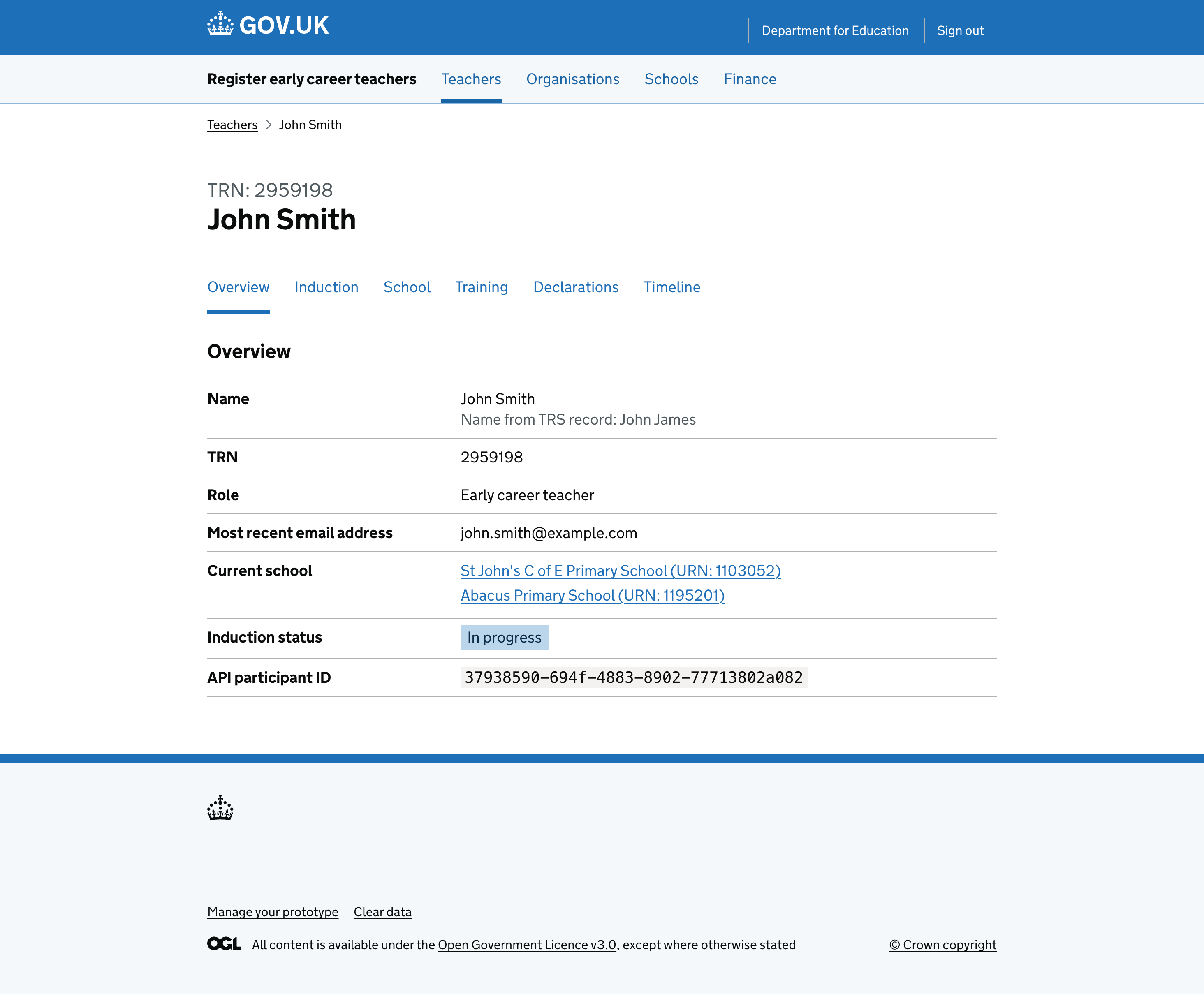
Teacher overview showing key details.
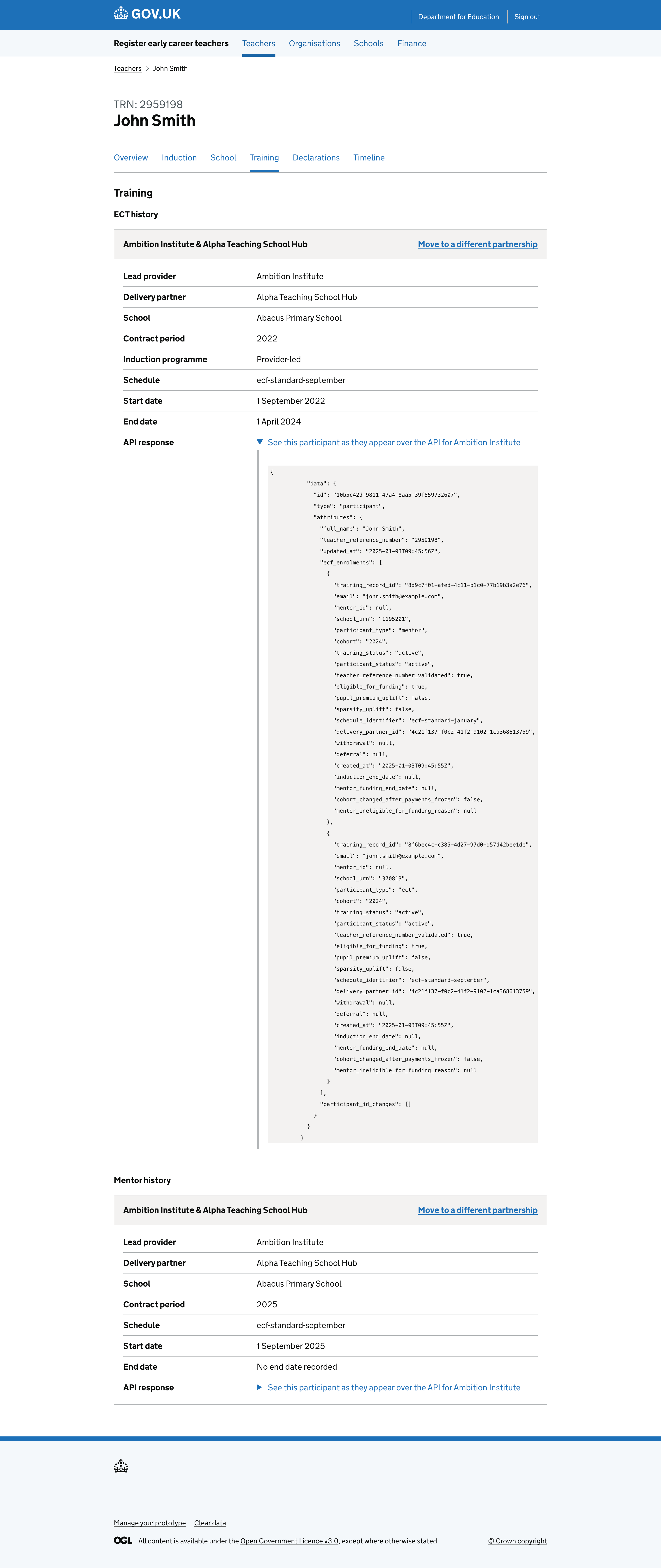
Teacher training information as returned via the API.
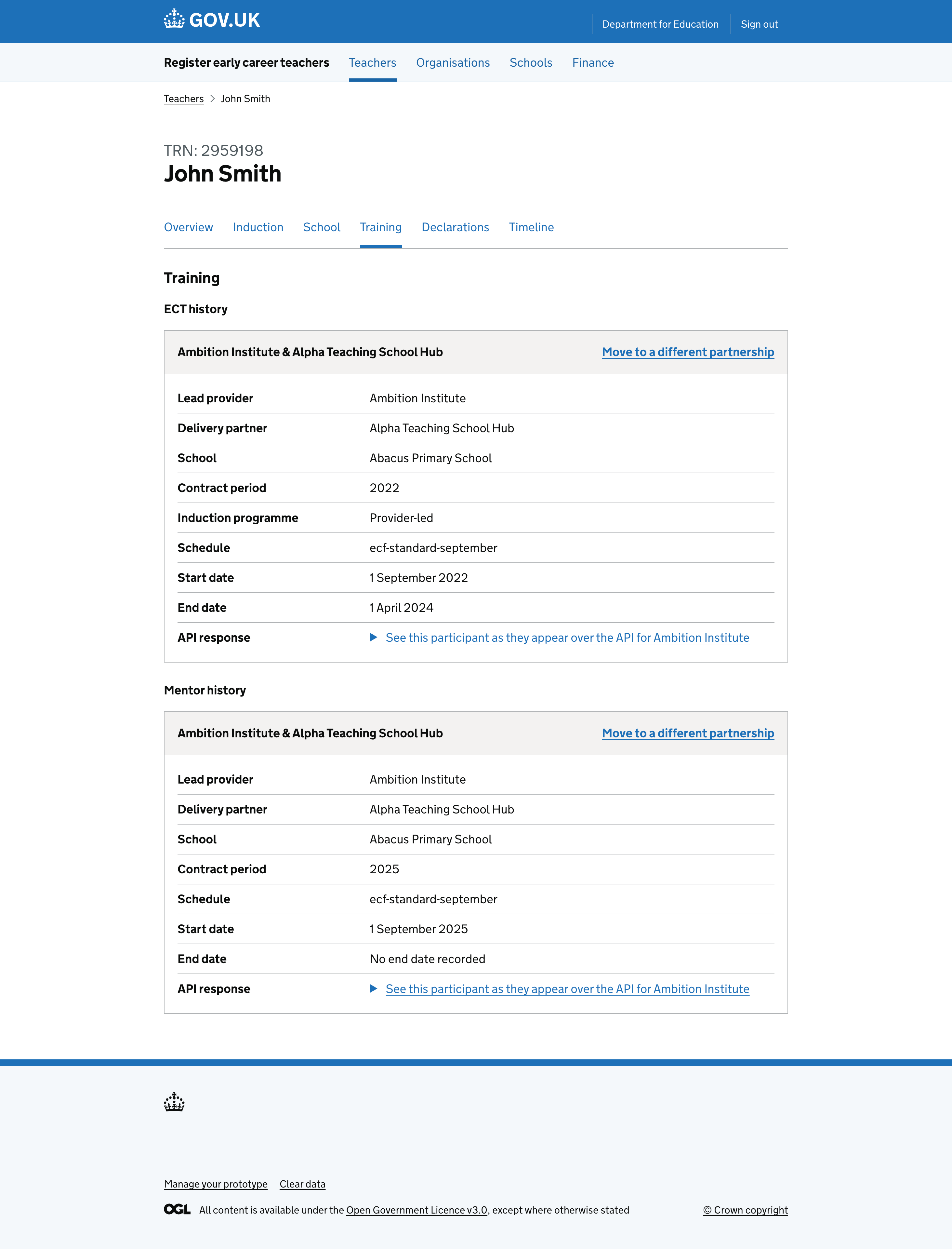
Training periods for a teacher.
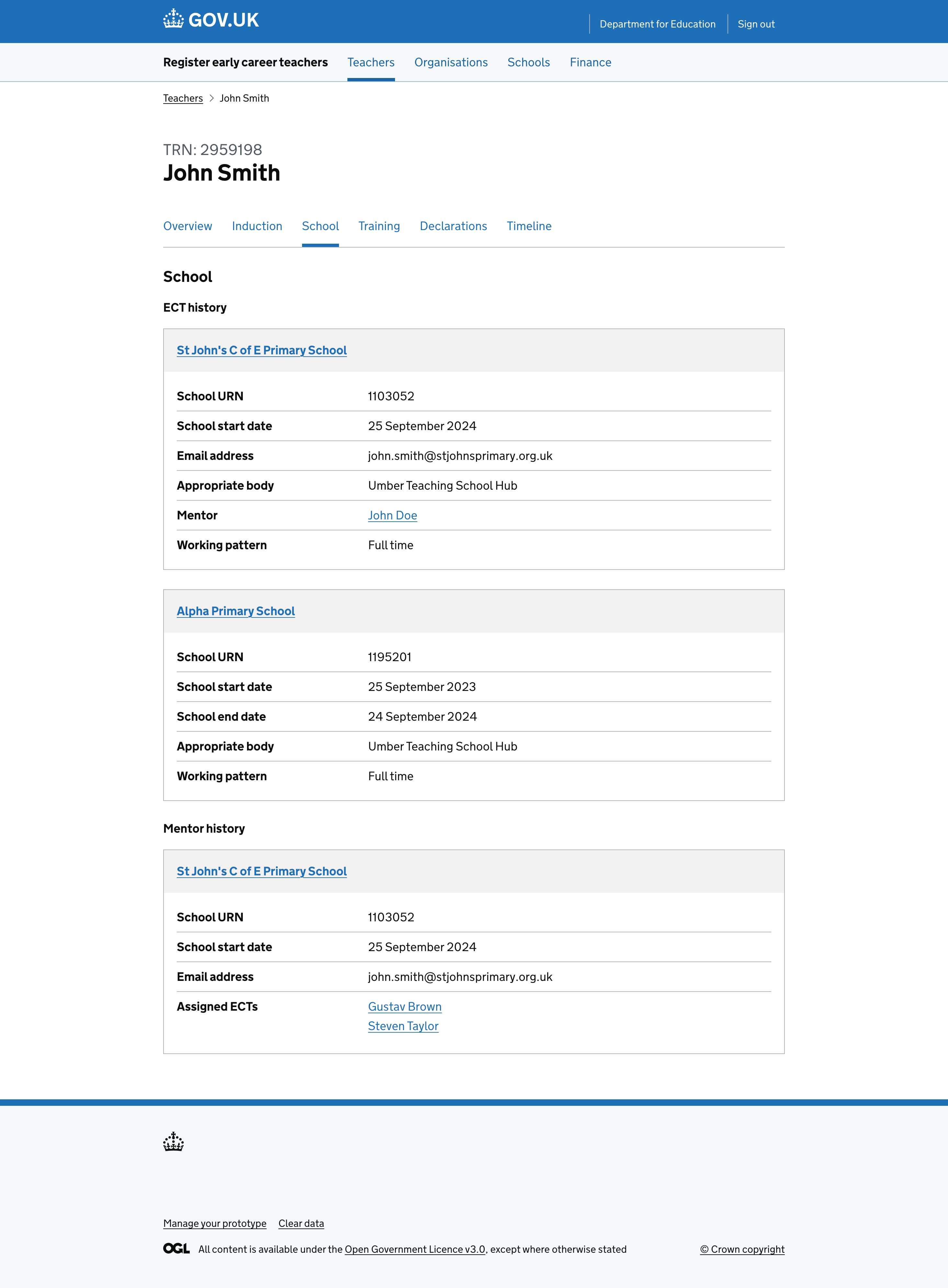
School periods for a teacher.
Update partnership information for a teacher.
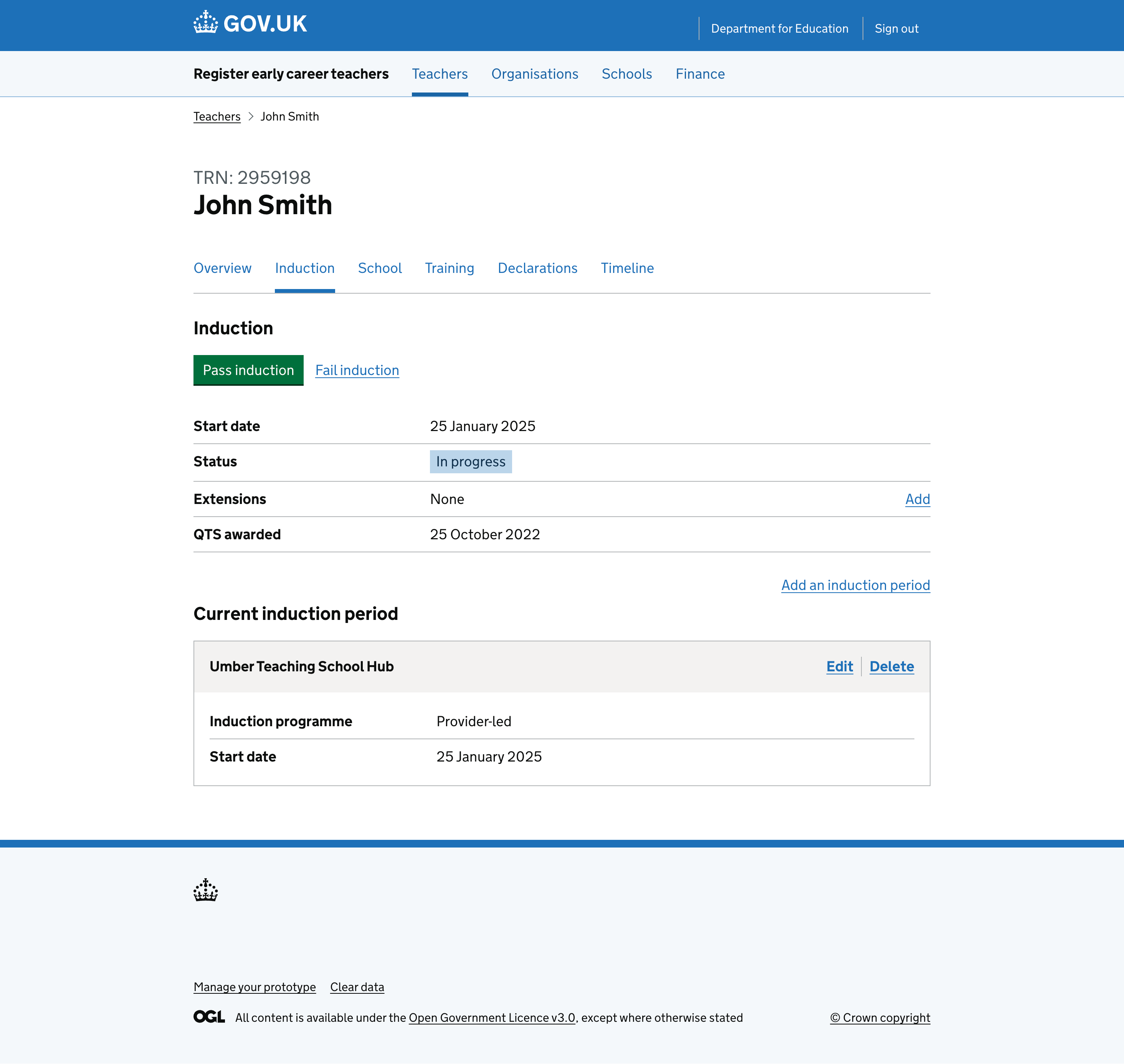
Induction details for a teacher.

Finance

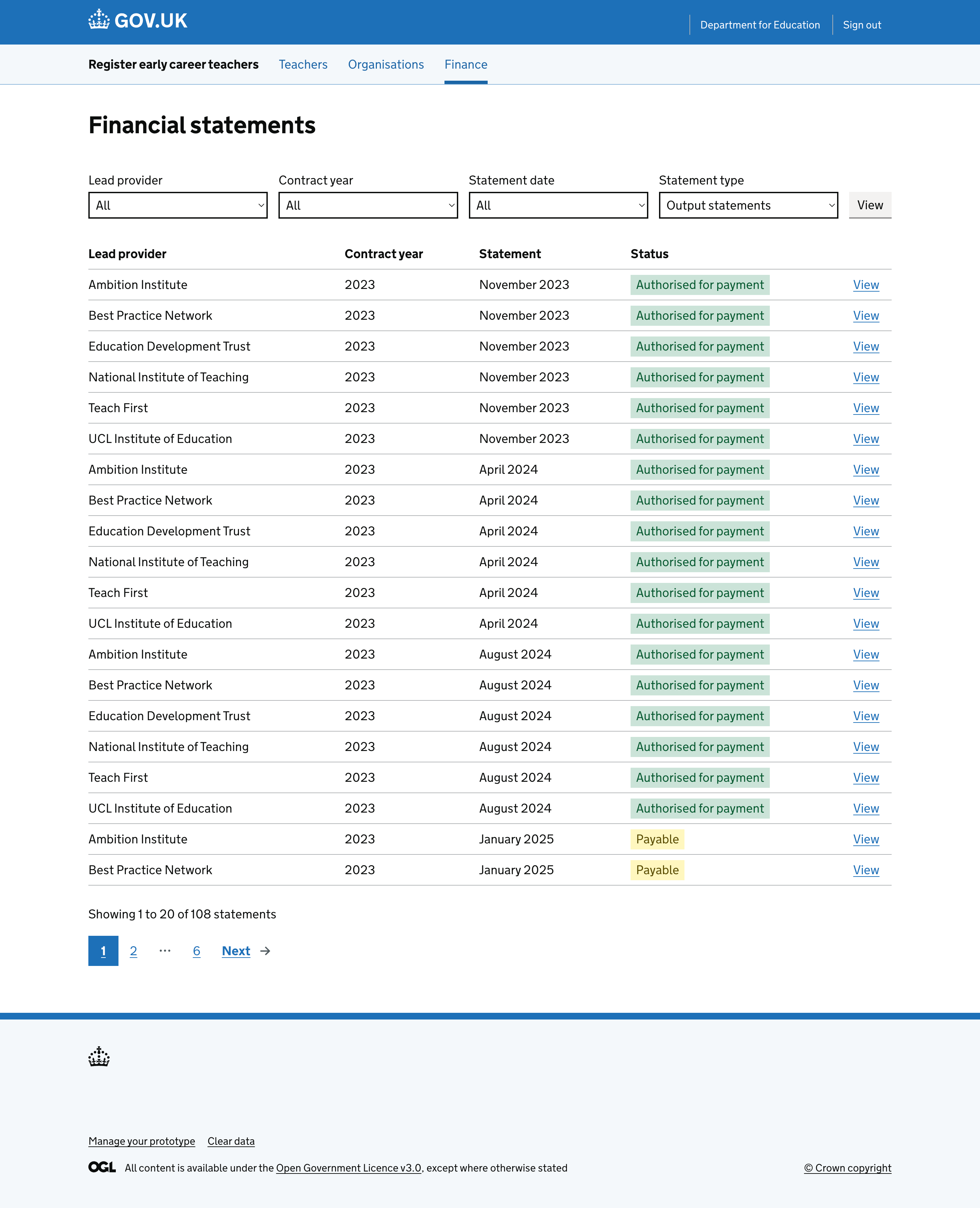
List of financial statements that can be managed.
List of financial statements.
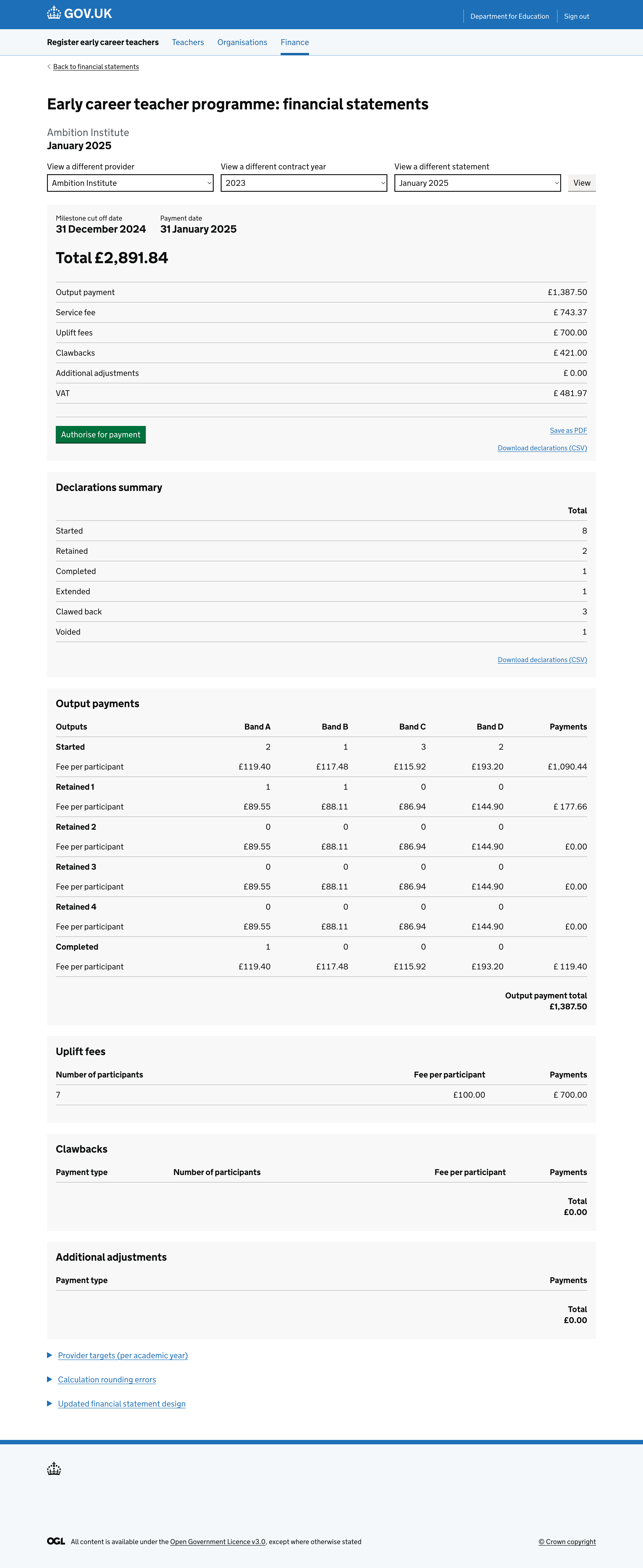
Financial statement with status indicating it is yet to be approved.
Financial statement example - a statement that is yet to be approved.
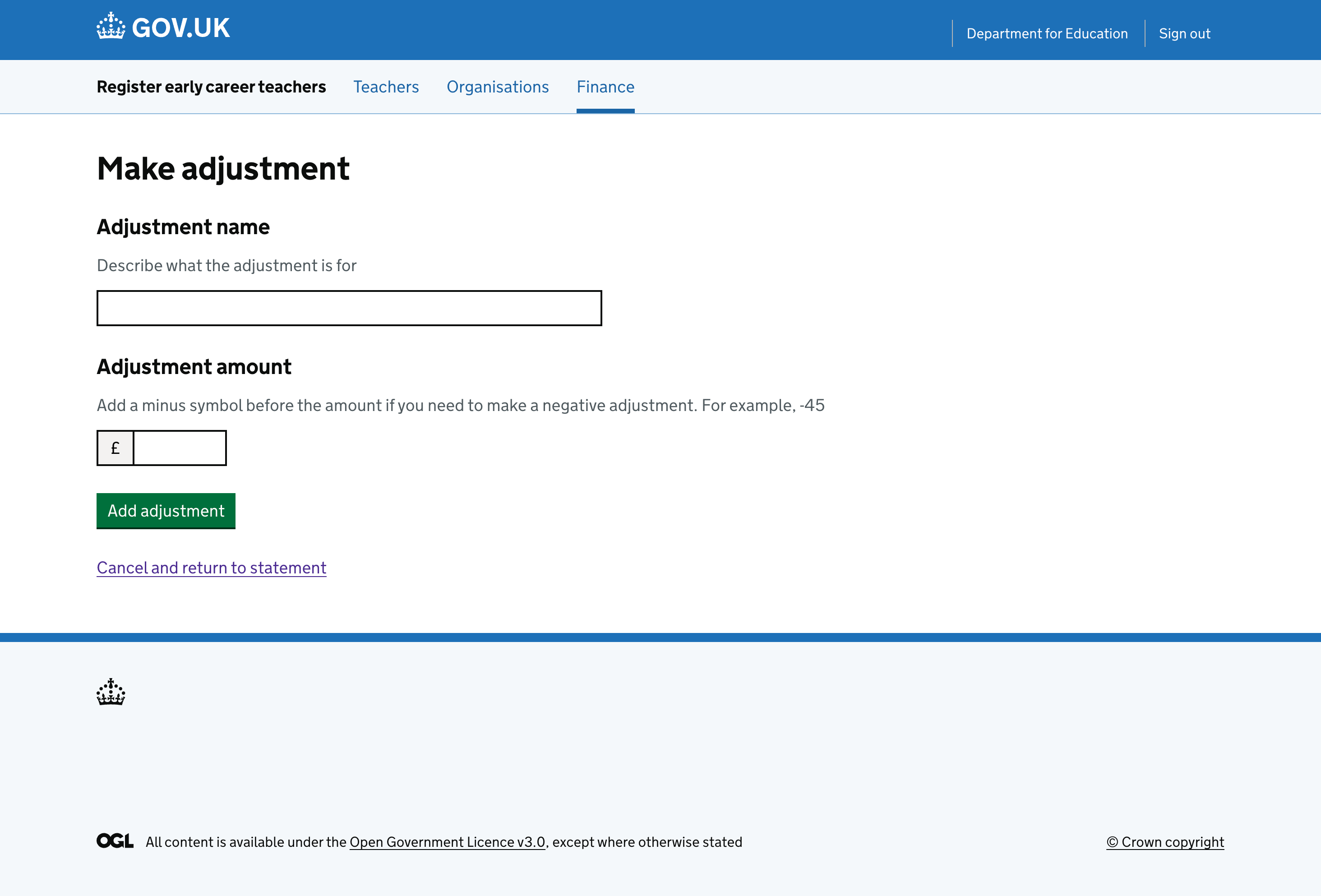
Make an adjustment to a financial statement.
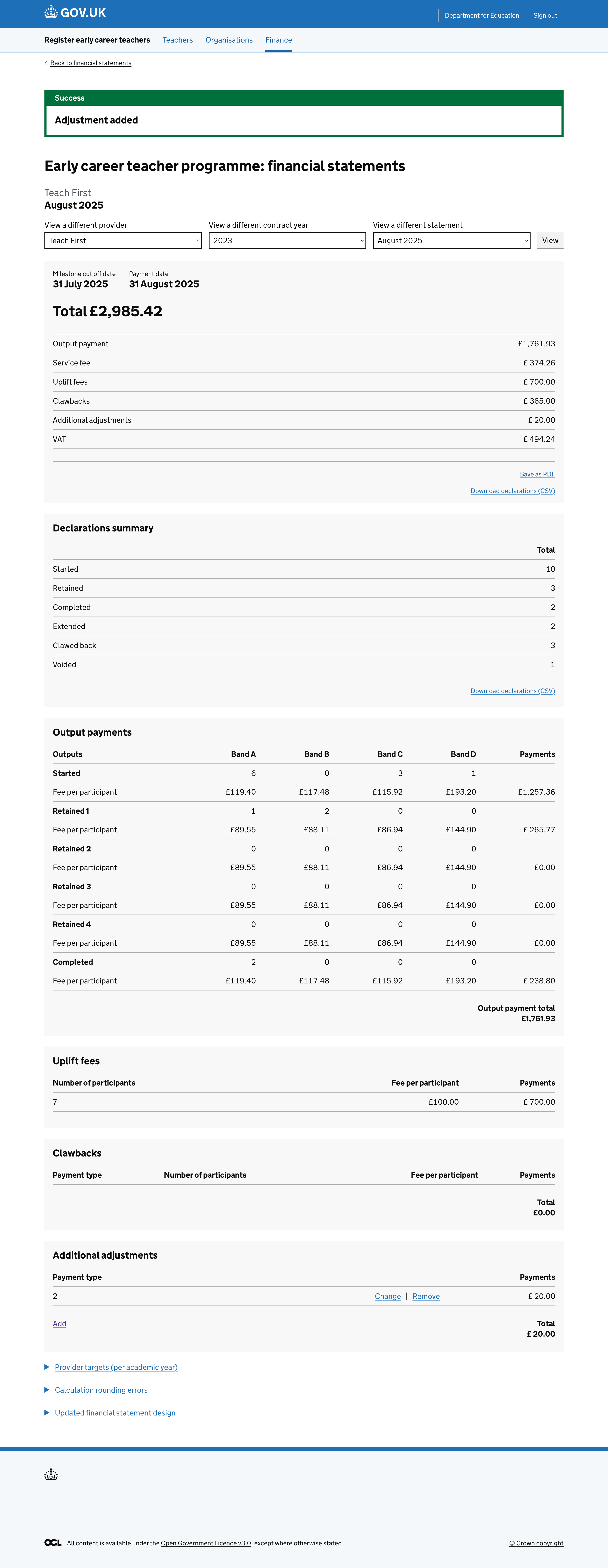
Confirmation after making an adjustment to a financial statement.

What’s next

We’ve designed and built the designs above as part of the admin console, with ongoing user feedback. Still to come are the teacher “declarations” section and the teacher “timeline”.